
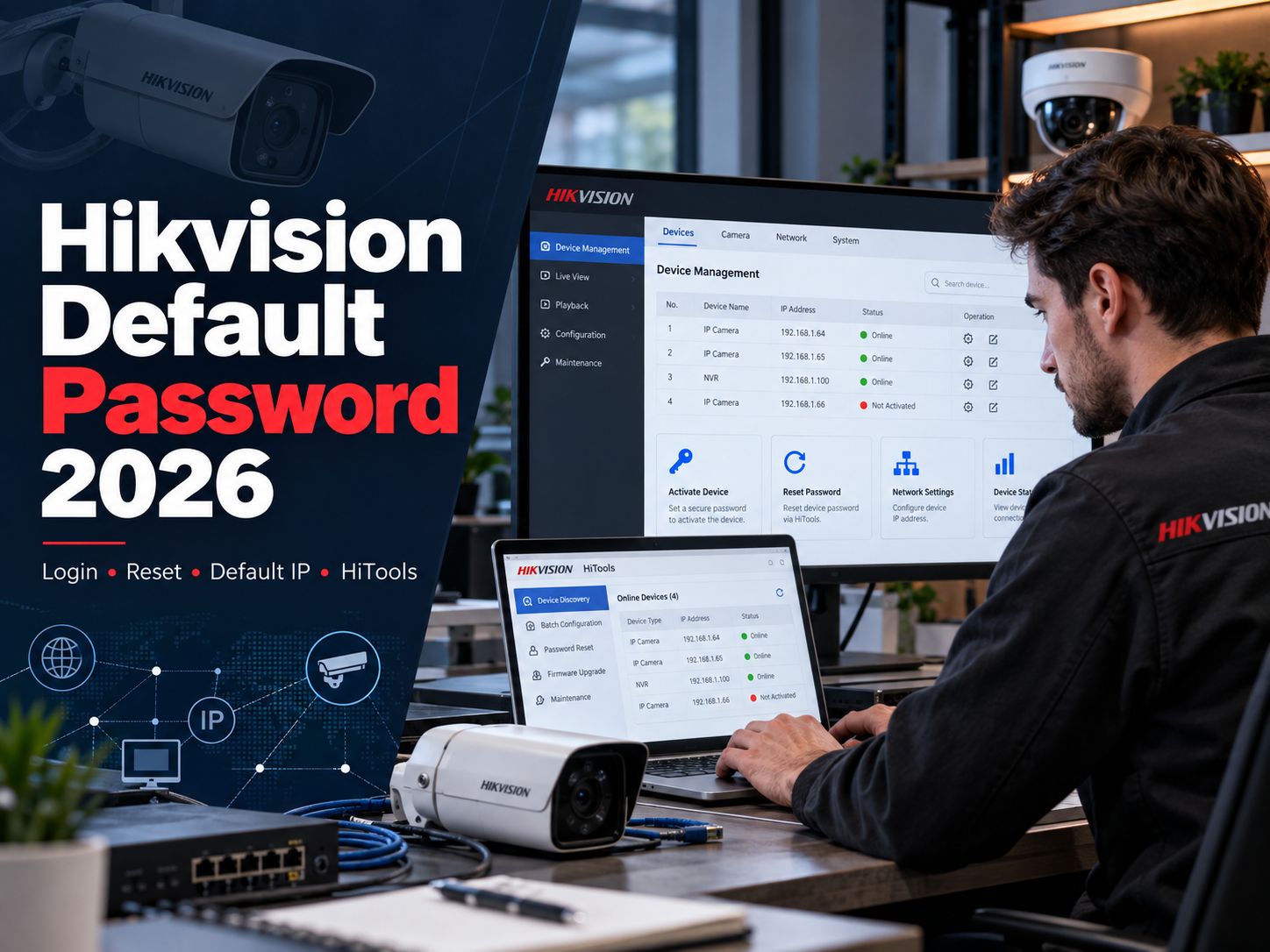
What Is the Hikvision Default Password in 2026?
For modern Hikvision DVRs, NVRs, and IP cameras using Secure Activation, there is no preset administrator password. You create the password when the device is activated for the first time.
The administrator username on many Hikvision product families is still admin, but the password itself is created during activation. Hikvision’s own USA guidance states that DVR/NVR/IP-camera models using Secure Activation are no longer shipped with a default password.
Here is the distinction that matters:
| What you see | What it usually means | What to do |
|---|---|---|
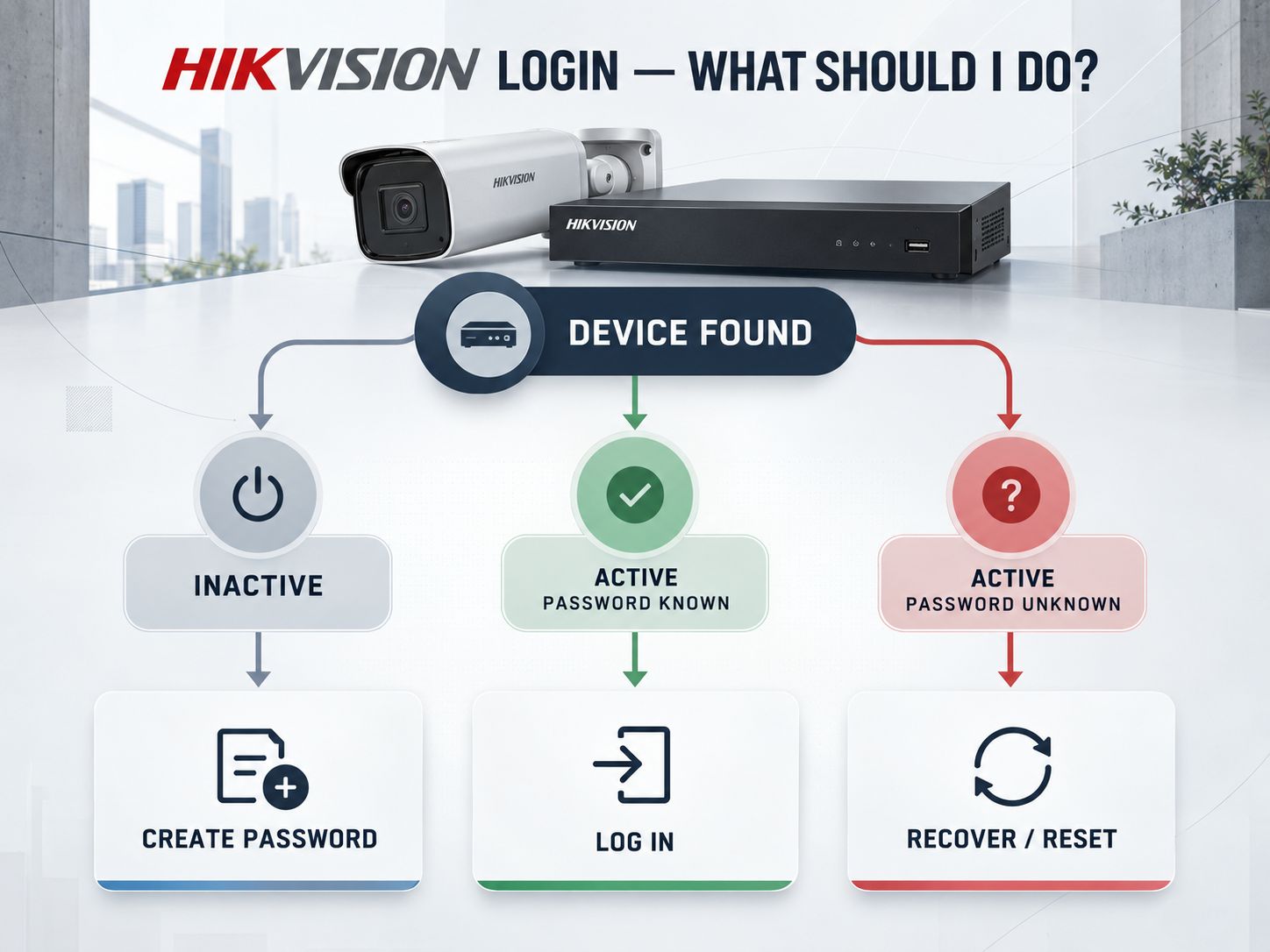
| Device shows Inactive / Unactivated | No administrator password has been created yet | Activate it and create a password |
| Device shows Activated / Active and you know the password | Normal configured device | Log in normally |
| Device shows Activated / Active but you do not know the password | Someone has already configured it | Use an authorized password-reset method |
admin / 12345 does not work |
Usually a modern or previously configured device | Stop guessing and check its activation state |
| Camera connected to an NVR asks for an unknown password | It may have been activated separately or through the recorder | Check recorder/camera credential relationship |
That distinction is more useful than a “Hikvision DVR default password list,” because the device’s current activation state determines what you should do next.
Key point: An inactive device needs activation. An active device with an unknown password needs recovery.
Why Is Hikvision Admin 12345 Not Working?
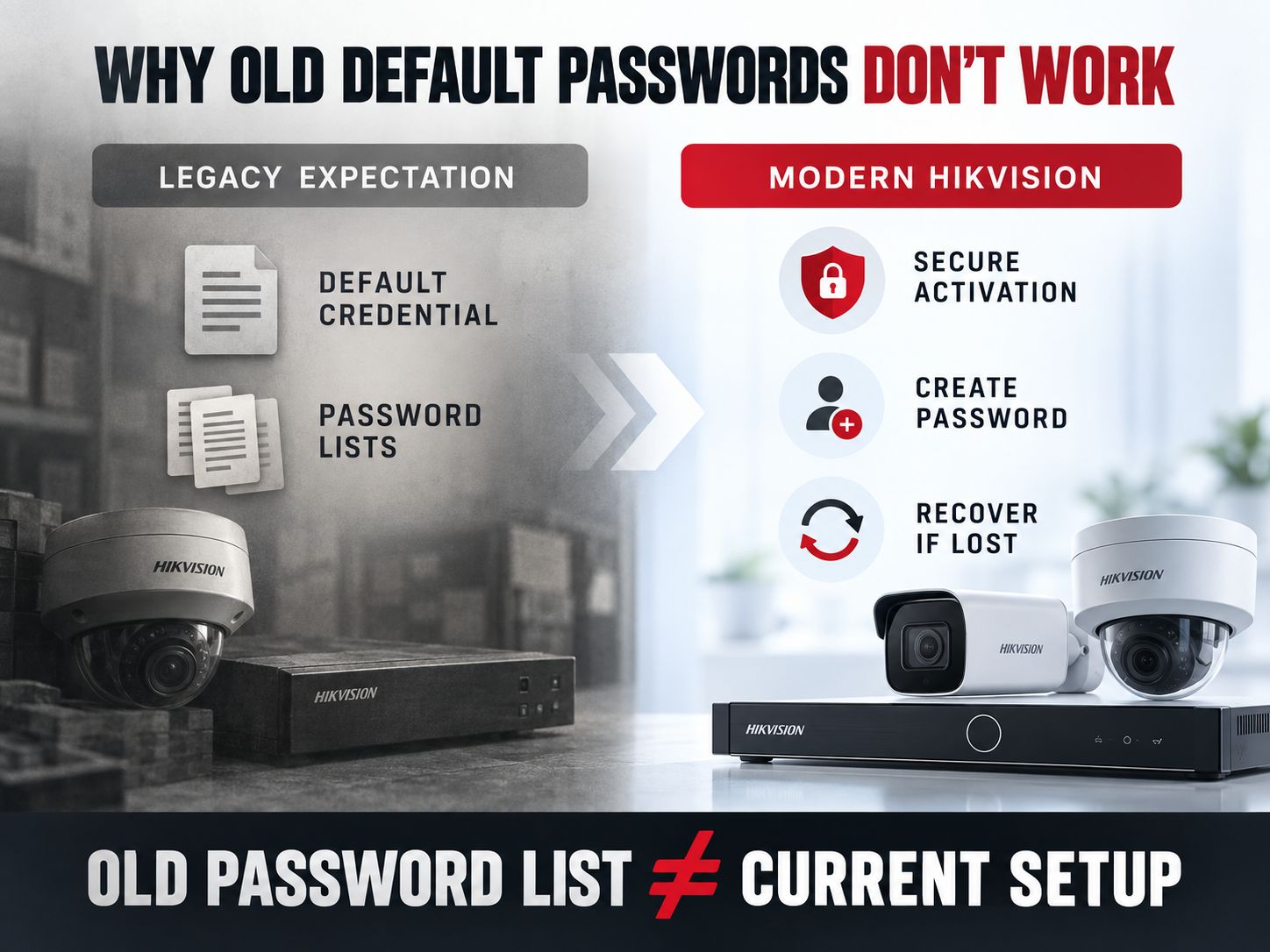
If you’re searching for “Hikvision default password admin 12345” or “Hikvision default password 12345 not working,” the most likely explanation is that your device does not use that old credential.
Older Hikvision discussions and third-party password databases still circulate historical factory credentials. That information can be misleading when applied to current equipment. Modern Secure Activation requires an administrator password to be created before the device can be used.
Another possibility is that the device was activated before you received it. This is especially common with:
- a second-hand camera or recorder;
- equipment inherited with a property;
- systems installed by another company;
- cameras that were automatically initialized through an NVR.
Do not keep cycling through guesses. On current Hikvision camera firmware, illegal-login protection can block an IP address after repeated failed attempts; Hikvision’s current hardening guidance documents a default example of seven failed attempts followed by a 30-minute block. Exact behavior can vary by product and firmware.
Share This Insight: A modern Hikvision login problem is usually an activation or recovery problem—not a missing factory-password list.
The First Thing to Check: Is the Device Active or Inactive?
The fastest troubleshooting path is to identify the device on your local network and check its activation state.
This is also where a lot of older guides are now behind Hikvision’s current tooling.
HiTools Delivery is now the current Hikvision tool
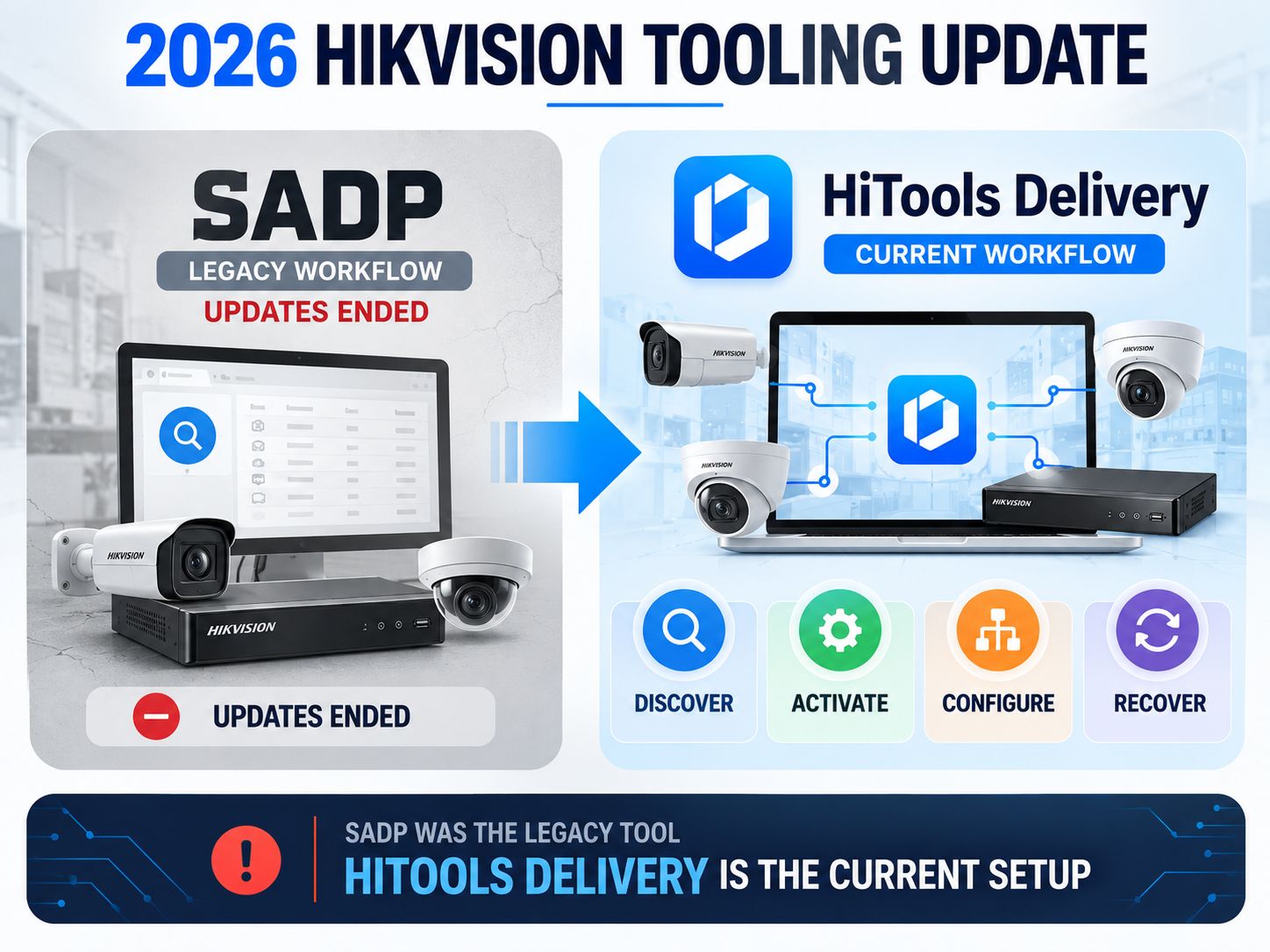
As of 2026, Hikvision recommends HiTools Delivery for current installation and device-management work. It incorporates functions historically associated with SADP, including device discovery, activation, network configuration, password resets, IP changes, and batch operations. Hikvision’s current camera manual specifically documents HiTools Delivery as the device-discovery and activation method.
You can get it from the official Hikvision HiTools page.
Hikvision states that SADP stopped receiving updates beginning in April 2026 and recommends migration to HiTools Delivery. That does not mean every existing SADP installation instantly stopped working; it means new guidance should no longer treat SADP as the primary current tool.
Practical check
Connect the computer and Hikvision device to the same local network, then open HiTools Delivery and search the current subnet.
Look for:
Activation Status → Unactivated/Inactive
Create a new administrator password and activate the device.
Or:
Activation Status → Activated/Active
The device already has a password. If you do not know it, move to the recovery section below.
Pro Tip: Before changing anything, note the model, serial information, current IP address, firmware version, and activation state. Do not publish or share the serial number or recovery codes.
If you’re unsure whether the computer and device are actually on the same IPv4 network, the SafeNetworkHub Subnet Calculator can help you compare the address range and subnet.
What Is the Hikvision Default IP Address?
For many current Hikvision network cameras, the documented initial IP address is 192.168.1.64.
Hikvision’s March 2026 G5 Network Camera manual still documents 192.168.1.64 as the default address and explains that the computer must be placed on the same network segment for direct browser activation.
Do not assume, however, that every Hikvision product uses exactly the same address.
Different product families, previous configuration, DHCP, recorder interfaces, intercom hardware, or installer changes can result in a different address. Even Hikvision intercom documentation shows product families with different initial addresses.
That is why discovery through HiTools Delivery is normally more reliable than typing random private IP addresses into a browser.
Why 192.168.1.64 might not open
- Your camera may already have another static IP.
- Your router may have assigned an address with DHCP.
- Your computer may be on another subnet.
- The camera may be connected to a PoE interface on an NVR rather than directly to your normal LAN.
- The device may no longer be in its factory network configuration.
If subnetting is the problem, use the Subnet Calculator rather than changing addresses blindly. For broader background on IP addressing and local network setup, see the guide to setting up a home network from scratch and the network security fundamentals guide.
What Is the Hikvision NVR Default Password and Default IP?
Modern Hikvision NVRs follow the same basic password principle: the administrator password is created when the recorder is activated.
The username on many NVR families is admin, but there is not a current universal factory password that should be expected to work.
The Hikvision NVR default IP question is less universal. Some Hikvision NVR manuals have documented 192.168.1.64, while configured or newer systems may use DHCP or a previously assigned static address. Hikvision’s own product documentation therefore matters more than third-party tables that present one NVR IP as universal.
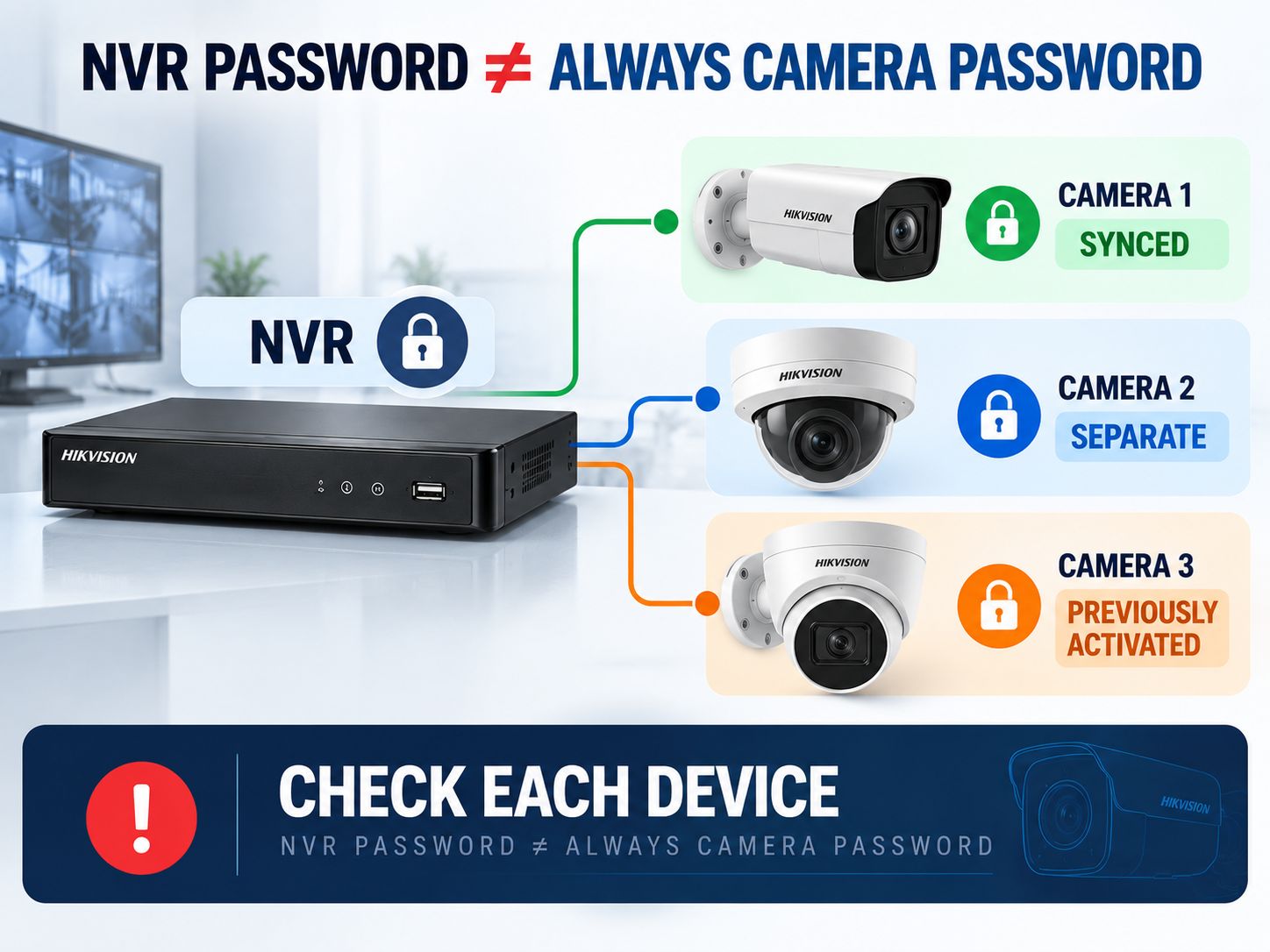
A common NVR-camera problem
The recorder’s password and the camera’s password are related only if the installation process synchronized them.
A camera may have:
- the same password as the NVR,
- a separate password created earlier,
- or a password assigned when the camera was initialized through the recorder.
That explains a confusing situation many users encounter: the NVR works, but one or more cameras report a password or authentication error.
Resetting or changing the recorder’s password does not automatically prove that every independently activated camera now has the same credential.
If this is part of a larger network issue, the Network Security Assessment can help review the surrounding configuration.
What Is the Hikvision DVR Default Password?
A current Hikvision DVR should not be approached as if it has a universal password waiting to be discovered.
Hikvision’s DVR documentation states that the administrator account is admin and that its password is set when the device is started and configured for the first time.
If the DVR is already configured and the administrator password is unknown, use its supported reset procedure.
This is why publishing a large “Hikvision DVR default password list” would make this page less useful, not more useful: it mixes legacy behavior with current equipment and encourages guessing instead of diagnosis.
What Is the Hikvision Default Password for a Camera?
For a current Hikvision IP camera, you normally create the password during activation.
The March 2026 Hikvision camera manual tells the administrator to set a login password when activating the device through the network. It also documents both HiTools Delivery activation and browser activation.
If the camera is Unactivated, create its password.
If it is Activated, someone or something has already initialized it.
That “something” may have been the NVR, which is why the owner sometimes genuinely does not remember ever seeing a separate camera-password screen.
Is There a Hikvision Default Password Pattern?
There is no useful current password pattern that lets you calculate or infer an activated device’s administrator password.
Do not assume that a password can be derived from:
- the model number,
- serial number,
- IP address,
- installation date,
- company name,
- or another camera’s credential.
If the current password is lost, use recovery.
Avoid websites offering unofficial “master password” or backdoor-code generators. They are not a substitute for ownership verification or supported recovery and may expose sensitive device information.
What About a Hikvision Intercom Default Password?
Treat Hikvision intercoms as a separate product family rather than applying camera or recorder defaults to them.
Hikvision intercom behavior varies significantly by model and generation. Some newer door-station documentation requires the device to be activated by creating a password, while older intercom manuals may document device-specific local credentials.
For that reason, the safe rule is:
Identify the exact intercom model and firmware before using any credential information.
Do not assume an IP-camera default applies to a door station or indoor station.
How Do I Reset My Hikvision Password?
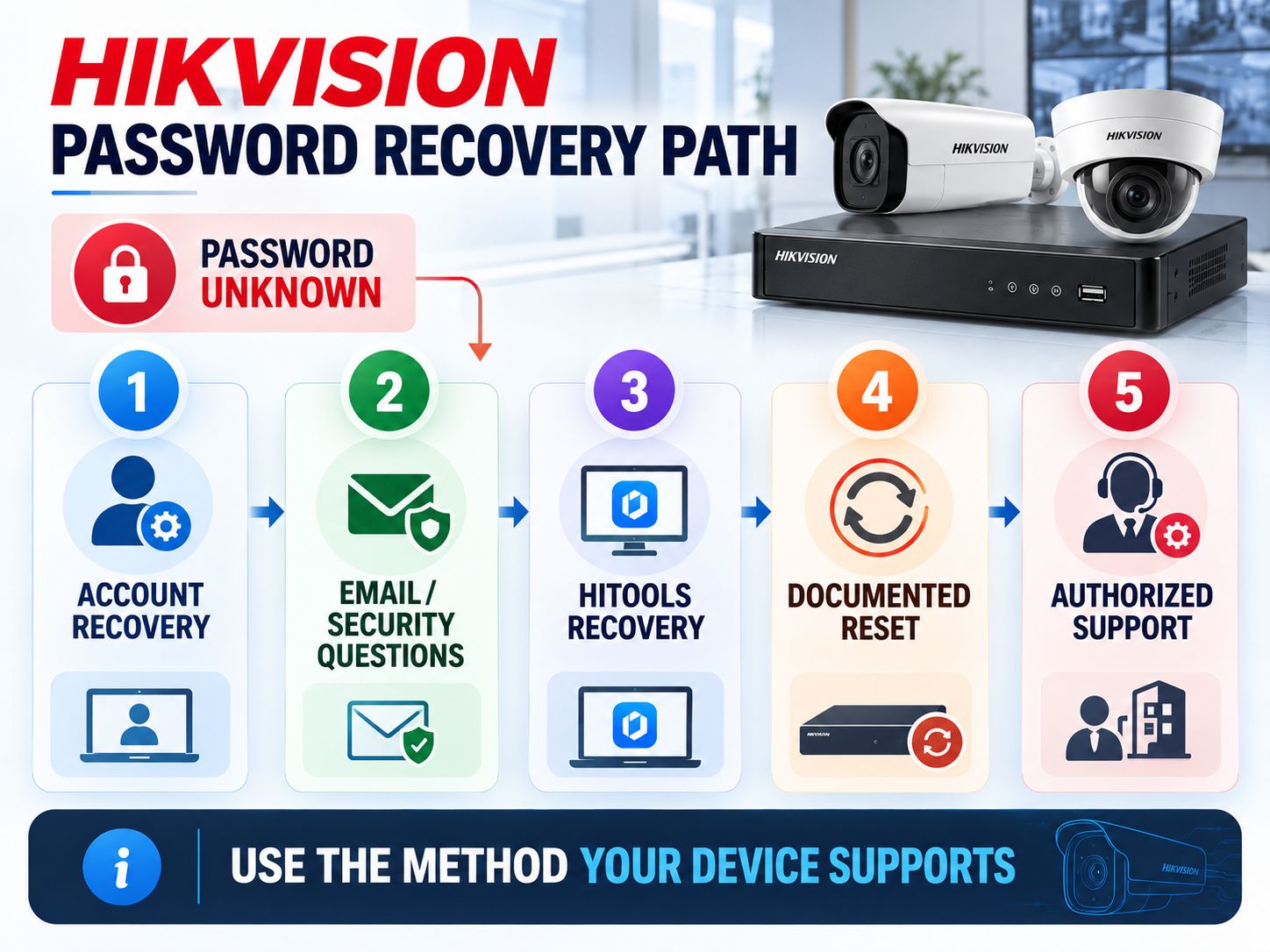
If the device is active and the password is genuinely lost, use the recovery method offered by that device and firmware.
Hikvision’s current ecosystem supports several recovery approaches depending on the product, including Hik-Connect verification, reserved email, security questions, GUID-based recovery, local-device recovery, and tool-assisted processes. Not every model exposes every option.
The official Hikvision password-reset guide should be your external reference for model-supported reset paths.
If you have an NVR or DVR with a local monitor
Current Hikvision documentation describes supported recorders that can display a recovery QR code on the local GUI. The authorized owner scans it through Hik-Connect’s password-reset function and completes the verification flow. Some recorders can instead use a reserved email address.
If you’re working with a network camera
Check the recovery options exposed by the device or HiTools Delivery. The available method can depend on firmware and how recovery information was configured during installation.
If a physical reset button exists
Use the procedure in the exact model’s manual.
Do not copy a generic “hold the button for X seconds” sequence from another model. A hardware reset can erase network settings and other configuration, and reset behavior differs among camera families.
If none of the self-service options are available
Contact the installer, authorized distributor, or Hikvision support path appropriate to your region and device.
This is particularly relevant for inherited or second-hand systems.
Before a reset: Document as much existing configuration as you legitimately can. Network settings, camera assignments, recording schedules, event rules, and integrations may need to be recreated.
Share This Insight: The right Hikvision reset method depends on the device and firmware. Recovery options matter more than old default-password lists.
How Do I Find My Hikvision Password?
If you mean “Can I display the existing administrator password?”, generally you should think in terms of recovering access or changing the password, not revealing the current password in plain text.
Before resetting anything, check legitimate records:
- your password manager,
- installer documentation,
- internal IT documentation,
- the person or company that configured the system,
- and the device’s configured recovery options.
If access must be reset, follow the supported workflow for that device.
Afterward, create a unique credential with the SafeNetworkHub Password Generator and evaluate it locally with the Password Strength Checker.
The password checker performs its analysis in the browser rather than asking you to submit a camera password to a remote password-testing service.
Quick Troubleshooting: Match the Symptom to the Next Step
| What is happening? | Most likely explanation | Best next step |
|---|---|---|
| New camera appears Unactivated | No admin password yet | Activate and create one |
admin / 12345 fails |
Device uses Secure Activation or was previously configured | Stop guessing; check status |
| Camera cannot be found | Wrong subnet, network path, PoE/NVR isolation, or different IP | Discover it with HiTools Delivery |
| 192.168.1.64 does not respond | Address changed or device family differs | Discover actual IP |
| NVR logs in but camera shows password error | Camera and NVR credentials differ | Check individual camera state |
| Used device shows Activated | Previous owner/installer configured it | Start authorized recovery |
| Recovery email is unavailable | That recovery route cannot be used | Check another supported method |
| Physical reset instructions online conflict | Procedures vary by model | Use the exact model manual |
| Repeated login attempts cause lockout | Illegal-login protection triggered | Wait for lockout to expire and recover properly |
This is the section I would expect a Google visitor to use when they simply want to know, “What should I do next?”
After You Regain Access, Fix the Problem That Caused the Lockout
Recovering the password gets you back into the system. It does not automatically make the installation well managed or secure.
Start with the administrator credential. Use a unique password rather than reusing the same credential for email, Wi-Fi, the router, or another business account. The SafeNetworkHub Password Generator and Password Strength Checker can help with that.
Then configure at least one supported recovery method. A difficult password with no documented recovery path can turn a routine maintenance job into another lockout.
For a home installation, the Home Cybersecurity Checker provides a broader review of router, account, Wi-Fi, device, and backup practices. You can inspect wireless encryption specifically with the Wi-Fi Security Type Finder or get configuration recommendations from the Wi-Fi Security Recommendation Tool.
Businesses should look beyond the camera itself. Surveillance equipment is part of the network, so administrative access, IoT segmentation, firmware management, logging, and recovery procedures matter. The Business Network Security Assessment reviews those wider controls, while the Security Controls Assessment is useful when you need a more structured control review.
For additional background, the business network security fundamentals guide explains the broader defensive principles, while the Network Security in 2026 guide covers modern zero-trust and AI-related network security considerations.
If cameras and recorders are important operational assets, consider whether their events and surrounding infrastructure are visible to your monitoring process. The Network Security Monitoring Tools assessment helps evaluate monitoring coverage, and the Security Best-Practices Checker provides a broader defensive hygiene review.
For the workstation you use to administer cameras and recorders, the Home Computer Security Assessment can also help review updates, firewall protection, encryption, password management, and backups.
You can also browse the broader Network Security category or the complete cybersecurity tools library for related defensive resources.
Share This Insight: Password recovery fixes access. Good recovery settings, unique credentials, network segmentation, and documentation help prevent the next lockout.
What We Verified for This 2026 Update
This page was not built by copying a default-password table and changing the year in the title.
For this update, the important points were checked against current Hikvision documentation and current product-management guidance.
The most meaningful change is that HiTools Delivery now replaces SADP as the recommended current workflow for device discovery, activation, network configuration, and password-reset functions. Hikvision’s 2026 camera documentation now explicitly teaches activation through HiTools Delivery.
We also verified that Hikvision’s March 2026 camera documentation continues to list 192.168.1.64 for the relevant network-camera family and requires an activation password before normal use.
The article deliberately does not claim that every Hikvision model behaves identically. Cameras, NVRs, DVRs, intercoms, OEM devices, firmware generations, and regional variants can differ.
That distinction matters more than pretending there is one universal answer.
Frequently Asked Questions
Does Hikvision have a default password?
Modern Hikvision DVRs, NVRs, and IP cameras using Secure Activation normally require you to create the administrator password during first-time activation rather than supplying a universal default password.
Is the Hikvision default username admin?
admin is the documented administrator username on many Hikvision camera, recorder, and other product families. Verify the exact manual when working with a different product type.
Why doesn’t admin 12345 work on my Hikvision camera?
Most likely because the camera uses Secure Activation or has already been configured. Check whether it is active or inactive instead of continuing to guess passwords.
What is the default IP for a Hikvision camera?
192.168.1.64 is documented for many Hikvision network-camera families, including Hikvision’s March 2026 G5 Network Camera manual. Do not assume it applies to every product.
What is the Hikvision NVR default IP?
There is no address you should assume for every NVR. Some Hikvision recorder manuals have documented 192.168.1.64, while DHCP or previous configuration can change the address. Device discovery is more reliable.
What is the admin password of a Hikvision DVR?
On current equipment, it is normally the administrator password created during initial activation or subsequently changed by the administrator.
How do I reset my Hikvision password?
Use the recovery option supported by your exact product and firmware. Depending on the device, this can include Hik-Connect verification, reserved email, security questions, a GUID-based method, HiTools-assisted recovery, a documented hardware reset, or authorized support assistance.
Can I retrieve the existing Hikvision password?
Do not rely on being able to reveal the existing password. If legitimate records do not contain it, use the supported password-recovery or reset process.
Does resetting an NVR reset every camera password?
Do not assume that it does. Cameras can have separate activation credentials, particularly when they were previously configured or added manually.
Does a Hikvision intercom use the same default password as a camera?
Not necessarily. Intercom behavior varies substantially by model and generation. Check the exact intercom manual before applying any credential information from a camera or recorder guide.
Should I still download SADP in 2026?
Hikvision now recommends HiTools Delivery and states that SADP stopped receiving updates beginning in April 2026. Current Hikvision camera documentation teaches HiTools Delivery directly.
Final Perspective
If you came here looking for the Hikvision default password, the useful answer in 2026 is not another list of old credentials.
First determine whether the device is inactive or already activated.
If it is inactive, activate it and create a password.
If it is active and you know the password, log in normally.
If it is active and the password is unknown, use the recovery method supported by that device.
And if you cannot find the device at all, solve the IP-address and network-discovery problem before treating it as a password problem.
That sequence is faster, safer, and much more reliable than repeatedly trying credentials taken from an old password table.
If you’ve dealt with a Hikvision camera, NVR, DVR, or intercom that behaved differently, share the model and firmware version in the comments. Do not post passwords, verification codes, serial numbers, recovery files, or other sensitive device information.
Share This Network Security Guide
Help IT professionals, network engineers, and students strengthen their cyber defense.
Zubayer Hasan
LinkedIn Profile →Md Zubayer AL Hasan is the lead cybersecurity platform architect and security researcher at SafeNetworkHub. Dedicated to zero-knowledge cryptography, infrastructure vulnerability auditing, and building accessible privacy tools.
0 Comments
No comments yet
Have a question or insight about this network security guide? Be the first to share your thoughts!
Write the first comment →