
Eric TTS is a text-to-speech voice associated with the classic GoAnimate era, but “Eric” no longer identifies one universal speech engine. Current tools can use different voice implementations, including Microsoft Sam-based recreations, IVONA-style recreations, or entirely different modern voice presets. The safest way to choose one is to check the underlying voice and listen to a short sample before generating a full script.
Eric TTS Voice Generator
Paste your text, choose the Eric voice available in your generator, adjust the settings, preview the result, and download your audio.
Recommended Test Script
“Wait. What happened? I thought you said we were leaving at eight.”
A short script is better for testing a voice because you can hear pronunciation, pacing, pauses, and sentence rhythm before generating a longer project.
There is also no universal “Eric TTS watermark” standard. Whether generated audio contains an audible marker, metadata, disclosure, usage restriction, or no watermark at all depends on the specific service and its current implementation.
For that reason, do not promise “no watermark” unless the actual generator has been tested and the result has been verified.
What Is Eric TTS?
Eric TTS is a synthetic male voice associated with the classic GoAnimate animation era and the wider internet culture that grew around those videos.
The difficulty is that Eric is now a label used by multiple TTS services, not a guarantee that every service is reproducing the same historical voice.
That is why two websites can both advertise “Eric” and still sound completely different.
Some current providers offer a classic-style recreation. Others expose a Microsoft Sam-based preset. Some simply use Eric as the name of a modern voice. Current competitor implementations confirm that the label itself is not enough to identify the engine.
The easiest way to think about it
Eric = the name people search for.
The voice engine = what actually produces the sound.
Those are not always the same thing.
Which Eric Voice Are You Looking For?
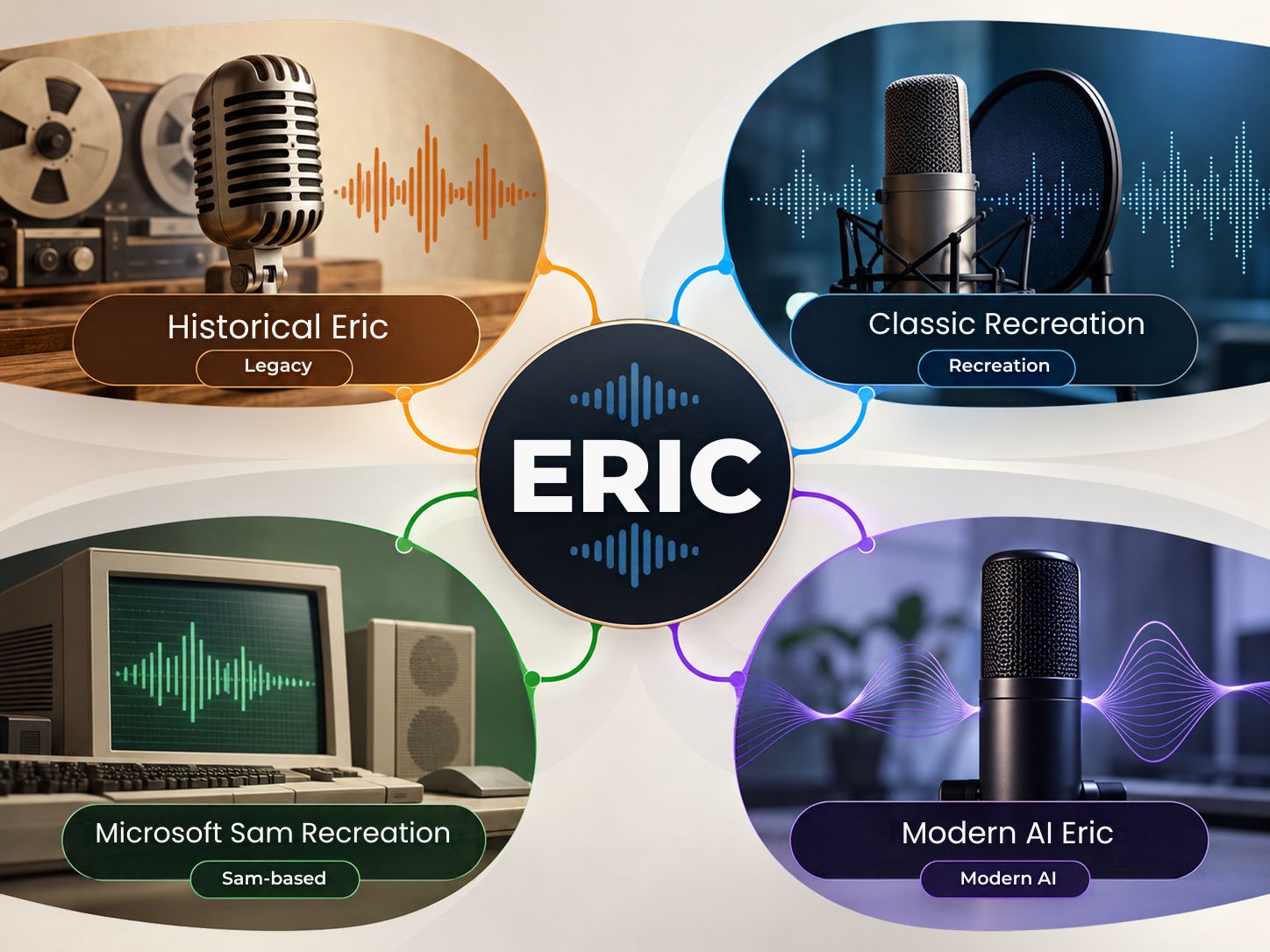
This is the question most Eric TTS pages should answer earlier.
| What you want | What to look for |
|---|---|
| Classic GoAnimate sound | A documented legacy-style recreation |
| Historical IVONA-style Eric | A provider that clearly explains its IVONA relationship or recreation |
| Microsoft Sam-style Eric | A generator that explicitly identifies Microsoft Sam |
| Modern AI Eric | A current neural or AI voice preset |
| Generic male narration | Compare the actual audio rather than the name |
Current tools demonstrate why this distinction matters. SAM TTS explicitly identifies its Eric preset as Microsoft Sam, while SpeechGen presents its Eric voice as an IVONA-style recreation on a modern neural engine. TopMediai currently describes its Eric preset as a middle-aged real-human narration voice rather than a classic GoAnimate recreation.
Was Eric the Original GoAnimate Voice?
Historical references associate the classic Eric voice with the older GoAnimate TTS ecosystem, while modern services now recreate the sound using different technologies.
This distinction has become more important because current tools do not agree on the implementation.
A historical GoAnimate-oriented resource identifies an IVONA Eric voice, while SAM TTS currently presents Microsoft Sam as its Eric preset. Those are different technical claims about the voice behind the same search phrase.
That does not mean one page should automatically be treated as correct and every other page as wrong. It means the article should name the implementation it is actually discussing rather than using “Eric” as if it were a unique technical identifier.
Historical voice information can also be cross-checked against archival GoAnimate resource documentation.
What Happened to GoAnimate?
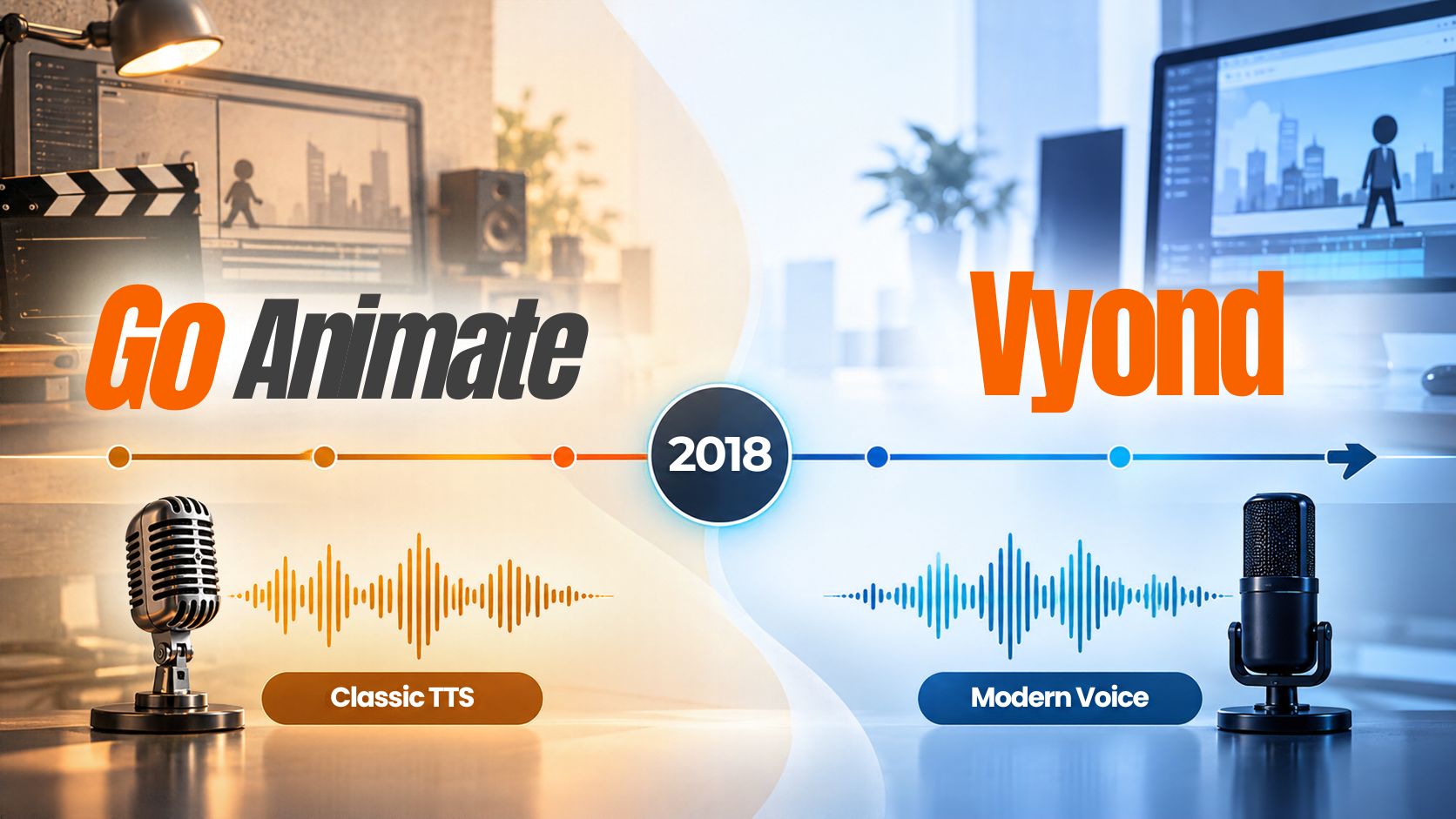
GoAnimate officially became Vyond in May 2018.
The company announced the launch of the Vyond brand on May 7, 2018, explaining that the rebrand represented a move toward a broader video-creation platform.
That matters because people still search for phrases such as:
- GoAnimate Eric voice
- GoAnimate TTS
- classic Eric TTS
- old Eric voice
- Vyond Eric voice
The old search terms remain useful because people are often trying to find the sound associated with the older platform, not simply the current Vyond product.
Vyond continues to update its text-to-speech library, showing how different the current platform is from the legacy GoAnimate voice ecosystem.
Read Vyond’s official GoAnimate-to-Vyond announcement.
You can also browse our latest technology guides for related software and web-tool topics.
Why Is Eric TTS Still Popular in 2026?
The interest is not only historical.
Recent GoAnimate community discussions show people still searching for Eric specifically, asking where to get the voice, sharing working resources, and discussing current ways to recreate the sound.
That tells us something important about search intent.
People are usually not looking for:
“a random male TTS voice.”
They are looking for:
“that specific voice I remember.”
That is why historical context and actual audio testing belong on the same page.
What Can You Use Eric TTS For?
Eric-style TTS works best when the voice itself is part of the character.
GoAnimate-style videos
Use it for animation dialogue, parody scenes, fan projects, and nostalgic recreations.
Memes and short videos
A recognizable synthetic voice can make a short line feel more familiar than a generic AI narrator.
Character dialogue
Eric works naturally when the goal is a distinct recurring character.
Twitch and streaming alerts
A short synthetic line can work well for alerts, especially when speed and pitch are easy to adjust.
Retro internet projects
If the point of the project is to reproduce an older web-video aesthetic, voice identity becomes part of the design.
Experimental narration
Some modern Eric recreations can also work for documentary, audiobook, or narration-style projects when the sound is appropriate.
The important distinction is that the best use depends on the voice version, not just the word Eric.
How Do You Generate Eric TTS Online?
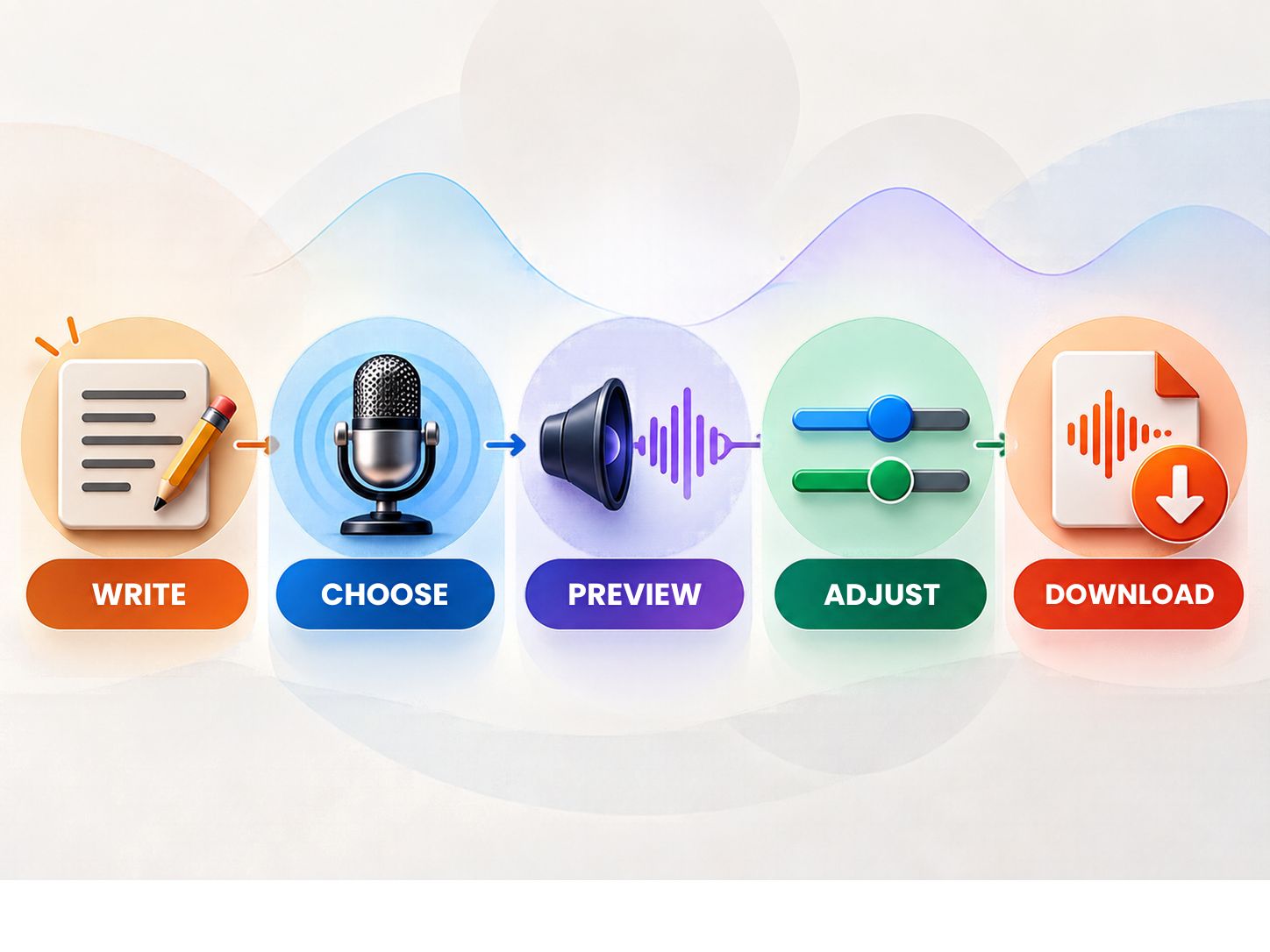
The workflow is simple:
- Write a short test. Do not paste an entire 10-minute script immediately.
- Choose the Eric preset. If the tool offers several Eric-like presets, check the description and underlying engine.
- Adjust the controls. Depending on the generator, you may find speed, pitch, volume, pauses, rate, emphasis, SSML, or phoneme controls.
- Preview. Listen carefully for strange pronunciation, unexpected pauses, numbers, abbreviations, punctuation, and sentence endings.
- Export. Only generate the long script after the short sample sounds correct.
Need more web tools? Browse the Safe Network Hub tools directory.
What Settings Make Eric TTS Sound Better?
There is no universal “perfect Eric setting” because the numbers mean different things across different engines.
A good starting point is therefore relative, not absolute.
| Goal | Starting approach |
|---|---|
| Classic-style dialogue | Keep the default voice and moderate speed |
| Dramatic dialogue | Slightly slower |
| Fast meme | Slightly faster |
| Narration | Slower and more restrained |
| Streaming alert | Faster with short sentences |
For example, SpeechGen currently presents its own Eric presets at different pitch and speed values for classic-style dialogue, audiobook narration, and streaming alerts. Those values are specific to that implementation and should not be copied blindly to another engine.
Why Does Punctuation Matter in Eric TTS?
Punctuation gives the speech engine clues about rhythm.
Compare:
“Wait what happened?”
with:
“Wait. What happened?”
The second version creates a much clearer break.
Try these patterns
- Short stop: “Stop.”
- Two-beat dialogue: “Wait. Listen.”
- Longer pause: “I thought you were coming…”
- Emphasis: “You did WHAT?”
The exact behavior depends on the engine, but clean punctuation is a reliable starting point.
How Can You Make Eric TTS Sound More Like the Classic Version?
Start with the sound you want to recreate, not the settings you want to use.
If your target is the old GoAnimate feeling, avoid making the voice unnecessarily polished.
A modern neural recreation may sound smoother, warmer, or more natural than the older synthetic sound. That can be technically better while still being less historically similar.
For a classic-style result
- Keep the delivery relatively direct.
- Keep the pacing moderate.
- Use light processing.
- Keep pitch changes modest.
- Break dialogue into short character lines.
For a modern result
- Use broader pitch control.
- Use more expressive pacing.
- Allow longer sentences.
- Prefer smoother narration when appropriate.
The choice depends on whether you want historical character or modern voice quality.
Why Do Eric TTS Generators Sound Different?
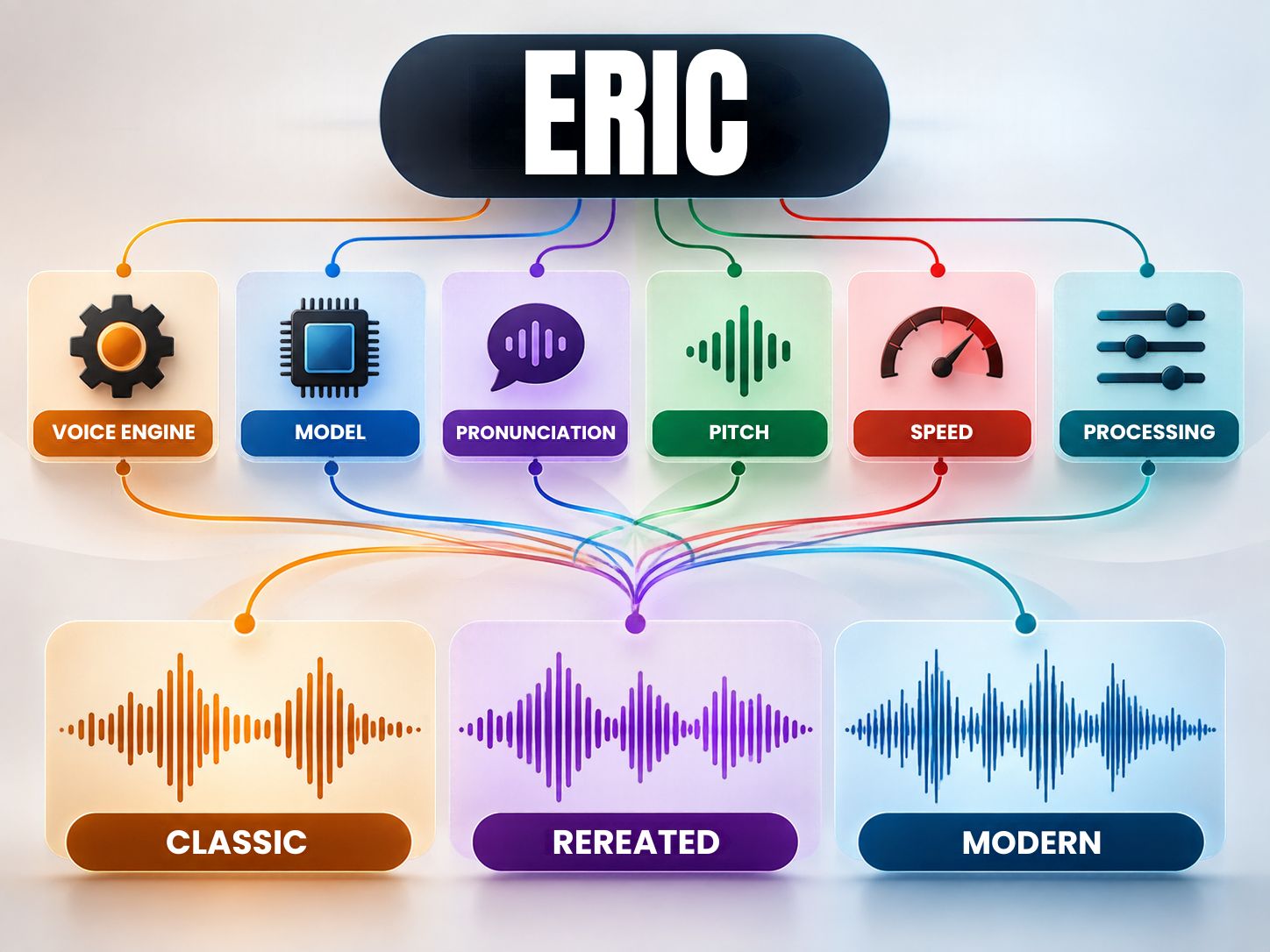
Because the same label can sit on top of different engines.
The differences may come from:
- the original speech engine
- a modern neural model
- voice conversion
- pitch settings
- rate settings
- pronunciation rules
- pause handling
- post-processing
- audio encoding
This is exactly why current competitor pages produce different descriptions of Eric.
| Factor | Effect on the final sound |
|---|---|
| Voice engine | Changes the fundamental speech character |
| Model | Changes naturalness and expression |
| Pronunciation | Changes how names, numbers, and symbols are spoken |
| Pitch | Changes perceived voice height |
| Speed | Changes pacing and delivery |
| Processing | Changes the final audio character |
What Do the Main Eric TTS Tools Actually Offer?
Instead of pretending they all provide the same thing, here is the practical difference.
| Service | Current Eric presentation | Useful controls / strengths |
|---|---|---|
| ReadLoud | “Male voice – Eric” | Speed, pitch, pauses; large comment history |
| SpeechGen | Eric voice with IVONA-style positioning | Pitch, speed, SSML, pauses, phonemes, export controls |
| TopMediai | Eric as a middle-aged real-human narration voice | Speed, volume, pitch, audition workflow |
| SAM TTS | Eric mapped to Microsoft Sam | Pitch, speed, browser generation, WAV |
| Vampi | Technical TTS interface | SAPI, SSML, rate, volume, events, and voice IDs |
- Multiple implementations let you compare different Eric-style outputs.
- Simple tools can generate a sample quickly.
- Advanced tools can provide deeper speech controls.
- The Eric label does not guarantee the same voice engine.
- Licensing and export options vary between providers.
- Historical accuracy can differ substantially between recreations.
How Should You Test an Eric Voice Before Using It?
Use the same short script across the generators you are comparing.
Test 1: Normal speech
“This is a simple test of the Eric voice.”
Test 2: Question
“Are you coming with us?”
Test 3: Short command
“Stop. Go back. Try again.”
Test 4: Numbers
“The total is 2,026 dollars and 45 cents.”
Test 5: Long sentence
“After everything that happened yesterday, I still cannot believe you decided to do that.”
Test 6: Pause
“Wait… what happened?”
This will tell you more than listening to a polished marketing sample.
What Do Real Users Say About the Eric Voice?
Community discussions add an important piece that standard tool pages often miss: people recognize the voice through characters and internet culture, not only through the name “Eric.”
ReadLoud’s public comment section is especially revealing. Users repeatedly associate its Eric preset with characters and series such as Mr. TomatoS and Boris, and one commenter specifically reported an issue with the ampersand character being read incorrectly.
Recent GoAnimate community discussions show a similar pattern: users asking where they can still obtain the Eric voice, sharing resource links, and discussing Eric as a recognizable GoAnimate voice.
That means a strong tool page should include both voice information + real audio testing.
What Common Problems Do Eric TTS Users Run Into?
The voice does not sound like the old version
This usually means the generator is using a different engine or recreation.
The pronunciation is strange
Try shorter sentences, clearer punctuation, and simpler wording.
Numbers sound wrong
Generate a small sample containing dates, prices, and times before generating the full project.
The voice sounds too natural
A modern neural voice can be smoother than the classic synthetic sound. That may be desirable for narration but undesirable for a retro recreation.
The download format is wrong
Check the available formats before generating a long script.
A service says “Eric” but sounds completely different
Check whether it identifies the voice source. A label alone is not enough.
Is Eric TTS Free?
Some Eric TTS services currently provide free previews or limited free generation.
But free generation is not the same as free commercial use.
Depending on the provider, you may encounter limits on:
- characters
- daily generations
- exports
- audio formats
- API access
- commercial usage
- redistribution
The safer statement is:
Commercial use depends on the provider and the specific voice implementation.
Can You Use Eric TTS Commercially?
Potentially, but there is no universal commercial license for “Eric TTS.”
Before using an Eric-style voice in a paid project, check:
This matters even more for legacy-style recreations because the current generator may be creating a new implementation of a familiar sound rather than serving the historical voice itself.
Does Eric TTS Have an AI Watermark?
There is no universal watermark rule for Eric TTS.
A provider might attach an audible marker, metadata, usage restriction, disclosure requirement, or no watermark at all.
The correct approach is to check the specific generator.
That is much safer than making a blanket “watermark-free” claim that has not been tested.
For broader privacy and data-handling topics, readers can also explore our Privacy & Data category.
Can You Use Eric TTS for YouTube?
Yes, an Eric-style TTS voice can be useful for YouTube videos, especially for animation, commentary, parody, memes, and retro-internet content.
But the TTS license is only one part of the rights question.
You should also consider:
- music rights
- visual assets
- scripts
- character references
- third-party footage
- voice licensing
- platform monetization rules
“AI-generated audio” does not automatically make every surrounding asset free to use.
Can Eric TTS Be Used for GoAnimate-Style Videos?
Yes.
This is one of the most natural applications because the voice is strongly associated with that type of animated dialogue.
A good workflow is:
Write short line → Generate → Preview → Sync to character → Adjust → Export
Do not generate the entire conversation as one file unless your editor specifically benefits from that workflow.
Short clips are much easier to replace when one sentence sounds wrong.
Why Is My Eric TTS Not Matching an Old Video?
There are several possible reasons.
- a different speech engine
- a different pitch
- a different speech rate
- different punctuation
- a different audio-processing chain
- an older voice implementation
- a different character mapping
The biggest mistake is comparing the name instead of the audio.
If the old clip is important, use a short side-by-side test with the same sentence.
Can You Download Eric TTS Audio?
That depends on the generator.
Current Eric tools expose different export options. Some providers support formats such as MP3, WAV, and FLAC, while others may restrict downloads or provide a narrower output set.
| Format | Typical use |
|---|---|
| WAV | Editing and further processing |
| MP3 | Smaller files and simple publishing |
| FLAC | Lossless compressed workflows |
Do not promise a particular format unless the current generator actually provides it.
How Do You Make Eric TTS Sound More Natural?
If your goal is not nostalgia but smoother narration, focus on writing first.
- shorter paragraphs
- natural punctuation
- consistent sentence length
- explicit pauses
- clear names
- simple number formatting
For longer narration, divide the script into sensible sections and test each section before moving forward.
A “natural” result usually comes from better text plus appropriate pacing, not simply raising or lowering pitch.
What Should You Avoid When Using Eric TTS?
- Do not assume every Eric voice is the same.
- Do not call every current preset “the original.”
- Do not promise commercial rights without checking.
- Do not generate ten minutes before testing ten seconds.
- Do not overuse pitch adjustments.
- Do not overload the page with unrelated troubleshooting content.
Is the “This Page Has Been Blocked by Strict Blocking Rules” Error Related to Eric TTS?
Sometimes, but it is a separate browser problem.
uBlock Origin documents strict blocking as blocking the entire root document, meaning the browser may stop the page before establishing the normal connection to the website. uBlock also explains that strict blocking can be triggered by a matching filter.
Keep this troubleshooting step short on the Eric TTS page. A full article about browser blocking should be a separate search-targeted page.
What Is the Best Eric TTS Choice for Different Projects?
There is no need to label one service as universally “best.”
Choose according to the result you need.
| Your goal | What matters most |
|---|---|
| Classic GoAnimate recreation | Historical similarity |
| Modern AI narration | Naturalness and control |
| Meme creation | Fast preview and short-line generation |
| Animation | Easy export and predictable pacing |
| Streaming alerts | Speed and quick generation |
| Advanced editing | SSML, prosody, phoneme and pause controls |
| Commercial work | Clear licensing |
What Should You Check Before Downloading?
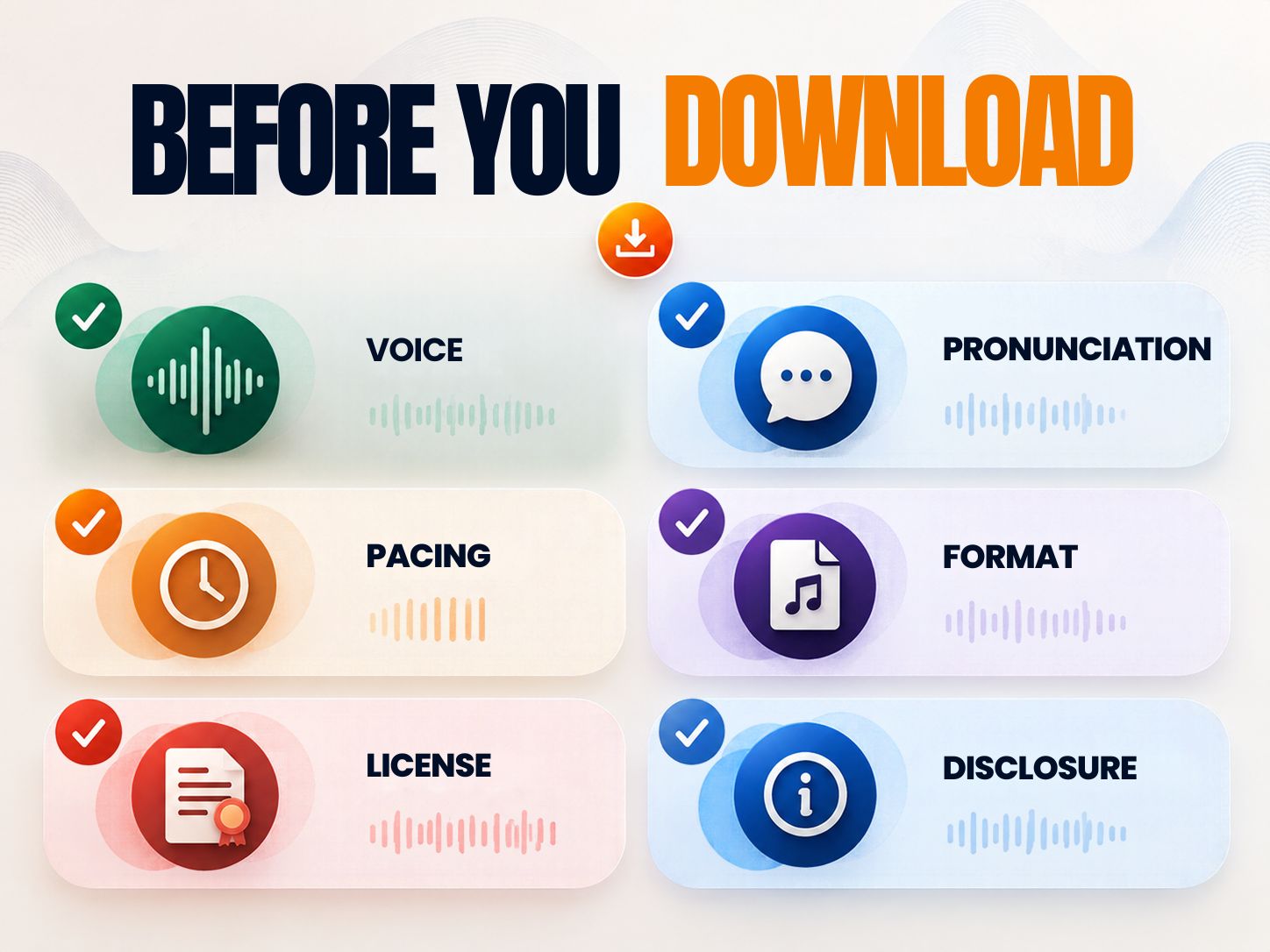
Before generating a long project, run a 15–30 second test.
This small test can save much more time than regenerating an entire script later.
My Recommendation
For someone specifically searching for the classic Eric sound, start by identifying the underlying implementation before comparing output.
For someone building modern narration, a newer AI-style Eric recreation may be more useful.
For GoAnimate-style animation, prioritize recognizable delivery and easy line-by-line generation.
For advanced users, prioritize SSML, phoneme and detailed speech controls.
For commercial projects, prioritize licensing clarity over nostalgia.
- You can match the voice to the exact purpose.
- You can compare historical similarity with modern naturalness.
- You reduce the risk of choosing a voice only because of its label.
- The same “Eric” name can hide different engines.
- Historical accuracy may not match modern voice quality.
- Commercial terms can differ between providers.
The most important decision is therefore not:
“Which Eric page ranks first?”
It is:
“Which version of Eric do I actually need?”
A Better Eric TTS Test Workflow
Use this five-minute process before starting a real project.
- Write three lines. One normal sentence, one question, and one sentence with a number.
- Generate each version. Use the same text everywhere.
- Compare the sound. Listen for pronunciation, rhythm, pitch, and synthetic character.
- Adjust one parameter. Change speed first, then pitch if necessary.
- Save the version that fits your project. Do not assume the most natural voice is the most accurate recreation.
Frequently Asked Questions
Quick Summary
Eric TTS is not one perfectly defined voice anymore.
The search term now covers several related things:
- Historical Eric: A legacy voice associated with the GoAnimate era.
- Classic-style recreations: Modern tools attempting to reproduce that recognizable sound.
- Microsoft Sam-based Eric: A specific recreation currently used by some GoAnimate-oriented tools.
- Modern Eric presets: Current voice products that may use a completely different model or even a real-human voice dataset.
Final Takeaway
The reason Eric TTS continues to attract searches in 2026 is not complicated.
People remember the voice.
They remember the way it sounded in animated videos, memes, parody scenes, and older internet content. That makes Eric different from an ordinary TTS preset.
But the modern web has complicated the name.
Today, “Eric” can mean different voices on different platforms.
That is why a useful Eric TTS page should not simply say:
“Here is Eric. Click Generate.”
It should tell the visitor:
- What version is this?
- What engine is behind it?
- How does it sound?
- What can I use it for?
- Can I download it?
- Can I use it commercially?
- Is it actually the classic voice I came here looking for?
Once those questions are answered, the tool becomes much more useful than a generic voice generator.
Share This Network Security Guide
Help IT professionals, network engineers, and students strengthen their cyber defense.
Zubayer Hasan
LinkedIn Profile →Md Zubayer AL Hasan is the lead cybersecurity platform architect and security researcher at SafeNetworkHub. Dedicated to zero-knowledge cryptography, infrastructure vulnerability auditing, and building accessible privacy tools.
0 Comments
No comments yet
Have a question or insight about this network security guide? Be the first to share your thoughts!
Write the first comment →