
secure cloud storage sensitive documents encryption 2026 requires more than a provider that promises “military-grade encryption.” You also need strong identity controls, secure sharing, activity monitoring, recoverable backups, and a clear understanding of who controls the encryption keys.
The safest solution is one that protects highly sensitive files such as tax returns, Social Security records, legal agreements, healthcare information, customer data, financial documents and intellectual property, throughout the entire lifecycle.
The Short Version
Choose a cloud storage service that provides:
- End-to-end or client-side encryption
- Zero-knowledge access where appropriate
- Multi-factor authentication
- Individual user accounts
- Expiring sharing links
- Detailed activity logs
- File versioning and recovery
- Secure account-recovery options
- Data-residency information
- Compliance support for regulated U.S. organizations
Encryption is a must, but it can’t save a file shared through a stolen account, public sharing link, infected device, too many user permissions, or lack of backup.
Key Points
- Encryption at rest is not the same as end-to-end encryption.
- The location and ownership of encryption keys matter.
- Every authorized person should have an individual account.
- Sensitive files should never be shared through permanent public links.
- Cloud synchronization should not automatically be treated as backup.
- U.S. healthcare and financial organizations must evaluate contractual and regulatory requirements.
- The best provider depends on your privacy, collaboration, compliance, and recovery needs.
Table of Contents
- What secure cloud storage means
- Why organizations need stronger protection in 2026
- How cloud encryption works
- Why encryption alone is not enough
- Best secure cloud storage options
- What real users say
- U.S. compliance considerations
- Seven-step security plan
- Provider testing checklist
- Common security mistakes
- Our recommendation
- Frequently asked questions
What Is secure cloud storage sensitive documents encryption 2026?
Secure Cloud Storage Secure cloud storage is an online storage environment that protects files with encryption, identity verification, limited access, monitoring, secure sharing and recovery controls.
Sensitive documents can include:
- Social Security and identity records
- Tax returns and supporting documents
- Bank and investment statements
- Credit-card and payment information
- Medical and insurance records
- Legal contracts and case files
- Payroll and employee records
- Customer databases
- Product designs and source code
- Research information
- Intellectual property
- Merger and acquisition documents
Protection should be commensurate with the potential damage that could be caused by unauthorised access.
Not all files require the same level of controls. For example, a folder of public marketing images does not require the same controls as a spreadsheet containing customer Social Security numbers.
Why Is Secure Cloud Storage Important in 2026?
Protection should be commensurate with the potential damage that could be caused by unauthorised access.
According to Verizon’s 2026 Data Breach Investigations Report, 31% of breaches began with vulnerability exploitation, making it the most common initial attack vector. And ransomware was involved in 48% of the breaches examined in the report.
As per the 2026 Cost of a Data Breach Report by IBM, 1 out of 4 malicious breaches examined was AI-enabled. Such AI-enabled breaches cost affected organizations on average some $6 million, compared to a global breach average of $4.99 million.
The numbers don’t mean every company is going to have the same result. They demonstrate why organizations need to protect sensitive documents prior to a breach, ransomware incident or cloud-account compromise.
For a broader risk overview, read our guide to the five major cloud storage security threats in 2026.
Key Point: A cloud provider may use strong infrastructure encryption while an organization remains exposed through weak passwords, excessive permissions, misconfigured sharing, unmanaged devices, or missing backups.
How Does Cloud Storage Encryption Work?
Encryption converts readable information into secure data that cannot be understood without a decryption key authorized for the data.
The encryption method and key-management model determine who can access the original file.
| Encryption Type | What It Protects | Main Limitation |
|---|---|---|
| Encryption in transit | Data moving between a device and the cloud | Does not control access after the file reaches the provider |
| Encryption at rest | Files stored on provider infrastructure | The provider may control the decryption keys |
| Client-side encryption | Files before they leave the user’s device | Users must protect passwords and recovery keys |
| End-to-end encryption | Data from the sender to an authorized recipient | May limit previews, integrations, and server-side search |
| Zero-knowledge encryption | Prevents the provider from reading file contents | Account recovery may be more difficult |
| Customer-managed keys | Gives an organization greater control over encryption keys | Usually requires enterprise administration and technical expertise |
Is AES-256 Encryption Enough?
AES-256 is a strong encryption, but just because a whole cloud storage system is “AES-256 encrypted” doesn’t mean it’s secure.
You should also ask:
- Who creates and controls the encryption key?
- Can the provider decrypt the files?
- When and where does decryption happen?
- Are filenames and folder names encrypted?
- Is document metadata protected?
- Can administrators revoke a lost device?
- Are downloads and sharing activities recorded?
- Can deleted or ransomware-encrypted files be recovered?
- What happens when an employee leaves?
- How are account-recovery requests verified?
Pro Tip: Do not choose a cloud provider based on an encryption badge. Read its key-management model, sharing controls, authentication options, audit capabilities, recovery process, and independent security documentation.
What Is Data-Centric Security in the Cloud?
Data-centric security secures the document while it is in use rather than relying on the security of the storage platform.
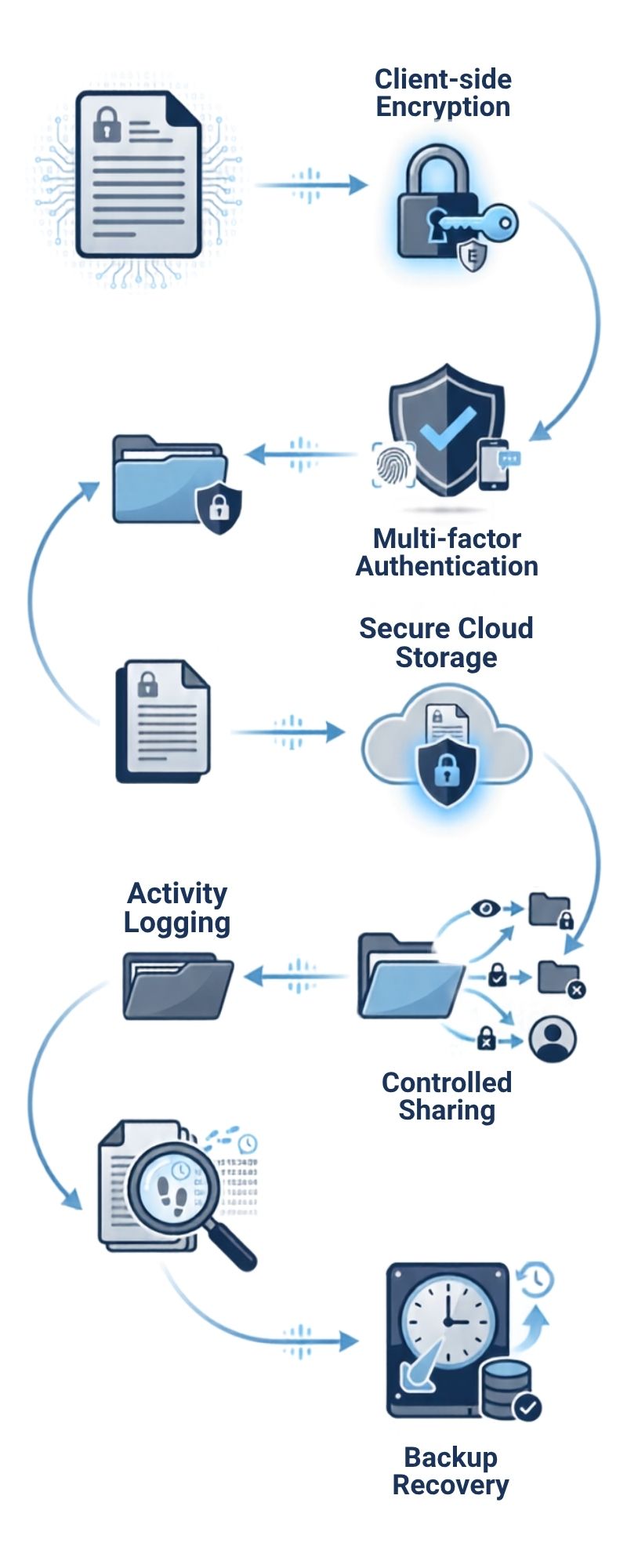
A practical data-centric security workflow looks like this:
Classification → Encryption → Identity verification → Access control → Monitoring → Retention → Secure deletion
For example, a confidential payroll file might receive the following controls:
- The file is classified as confidential.
- It is encrypted before or during upload.
- Only authorized HR employees can open it.
- Multi-factor authentication is required.
- External sharing is disabled.
- Every access attempt is recorded.
- Older versions are retained for recovery.
- The file is deleted according to the company’s retention policy.
This approach is much stronger than placing a sensitive document inside a folder named “Private.”
Organizations building a larger protection program should also review how to build a cloud security strategy.
Best Secure Cloud Storage for Sensitive Documents in 2026
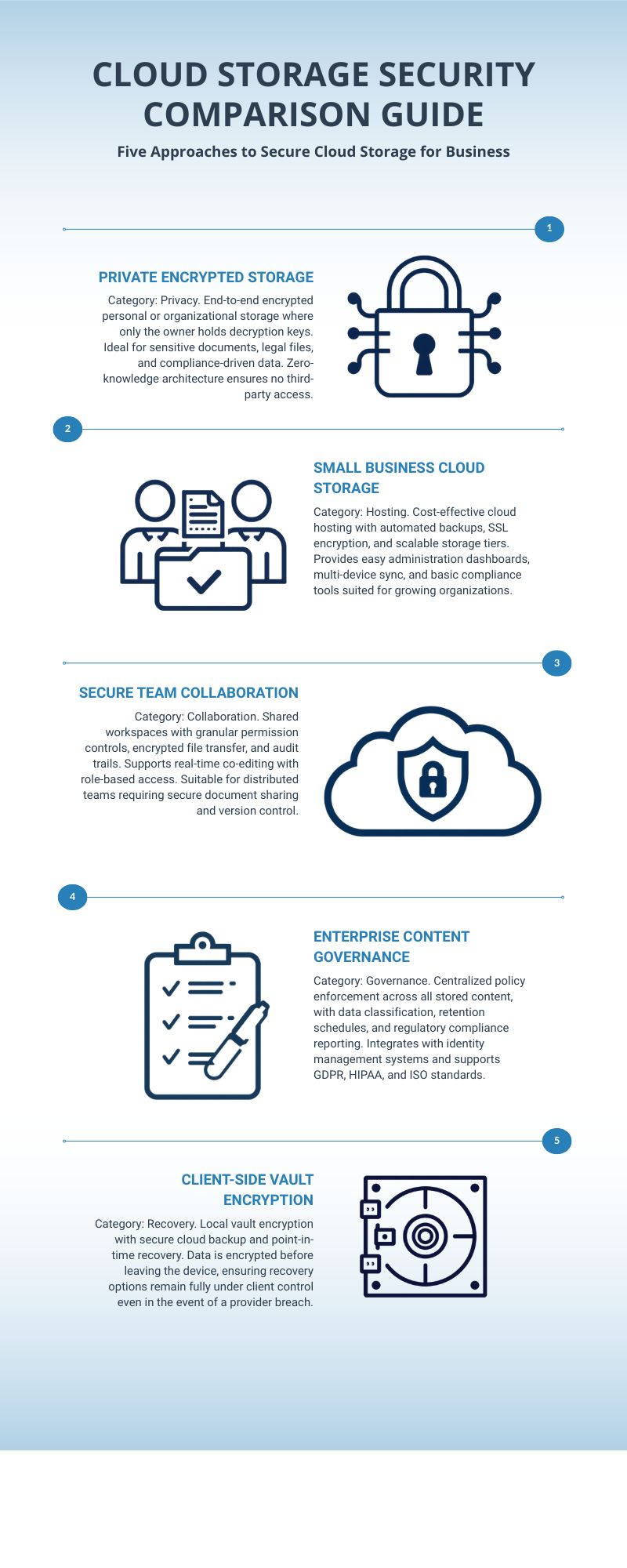
There is no universal solution. Depending on your needs for personal privacy, family access, secure business collaboration, enterprise governance or encryption for an existing cloud account, you’ll want to make the right choice.
Quick Comparison
| Solution | Best For | Security Approach | Hosting | Main Consideration |
|---|---|---|---|---|
| Proton Drive | Privacy-focused individuals | End-to-end encryption | Provider-hosted | Limited enterprise governance compared with larger platforms |
| Tresorit | Professional and regulated teams | Zero-knowledge end-to-end encryption | Provider-hosted | Higher cost than basic consumer storage |
| Sync.com | Families and small businesses | End-to-end encryption and zero-knowledge authentication | Provider-hosted | Fewer advanced enterprise integrations |
| Box Enterprise | Large organizations | Enterprise encryption, DLP, governance, and optional customer-managed keys | Provider-hosted | Not zero-knowledge end-to-end encrypted by default |
| Cryptomator | Encrypting an existing cloud account | Client-side vault encryption | Hosted or self-hosted storage backend | It is an encryption tool, not a storage provider |
1. Proton Drive: Best for Privacy-Focused Individuals
Official website: Visit Proton Drive
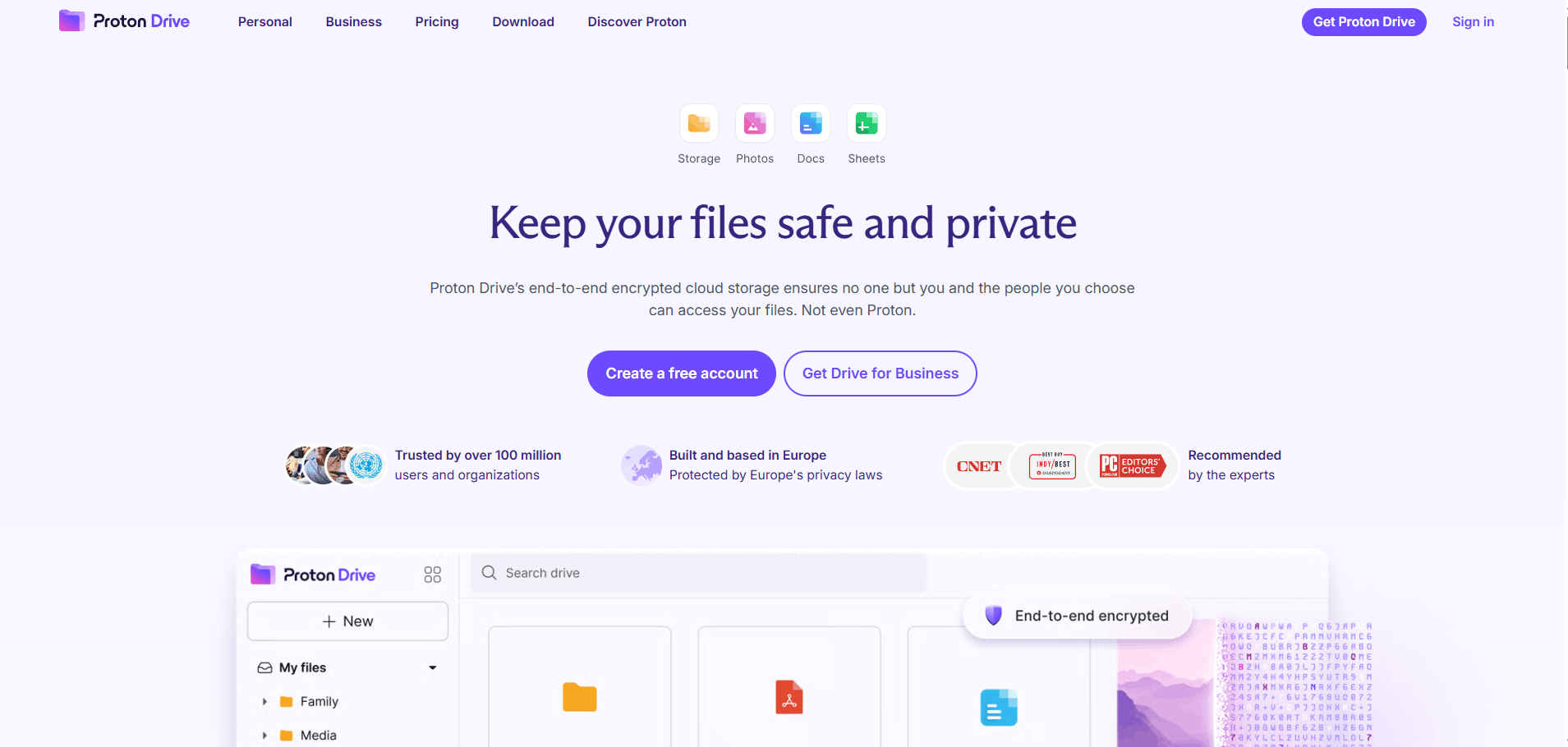
Proton Drive uses end-to-end encryption to protect stored and shared files. Proton states that file contents, filenames, and folder names are encrypted before leaving the user’s device. Proton does not possess the keys required to decrypt end-to-end encrypted Drive data.
Hosting
Proton Drive is a provider-hosted service. It is not designed as a self-hosted storage platform.
Advantages
- End-to-end encryption enabled by default
- Encrypted file and folder names
- Provider cannot read encrypted file contents
- Secure file-sharing capabilities
- Free plan available
- Apps for common desktop and mobile platforms
- Suitable for personal and professional confidential files
Disadvantages
- Enterprise governance is less extensive than Box
- Account recovery must be configured carefully
- Some advanced collaboration functions may be more limited than traditional office suites
- Organizations requiring a specific U.S. data location should verify current residency options before purchasing
Reddit and Community Insight
Proton Drive was not specifically discussed in the Reddit thread supplied for this article. Its inclusion is based on its current security documentation rather than a claim of community consensus.
Five Best Workflows
- Tax document archive: Store tax returns, receipts, and supporting records.
- Identity-document vault: Protect passport, license, and certificate copies.
- Legal records: Store wills, signed contracts, and estate documents.
- Confidential research: Protect interview notes and sensitive source material.
- Private family sharing: Share selected documents without exposing an entire account.
Warning: Configure account-recovery methods before storing irreplaceable documents.
2. Tresorit: Best for Secure Business Collaboration
Official website: Visit Tresorit
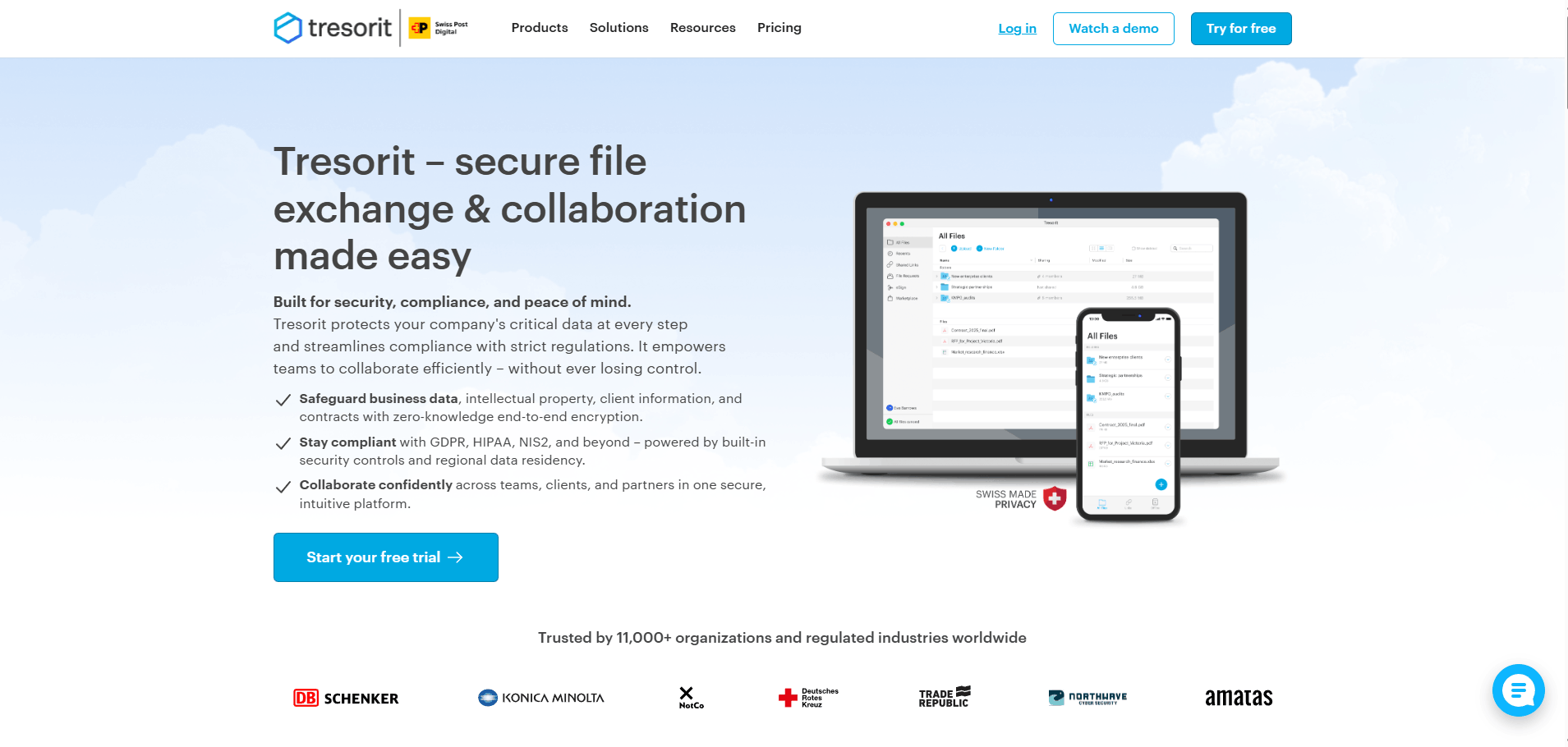
Tresorit offers zero-knowledge end-to-end encrypted file storage and collaboration. The company says files and associated metadata are encrypted on the user’s device, with keys that are never transmitted to its servers in unencrypted form. Tresorit also offers regional data-residency options, with U.S. locations available on eligible plans.
Hosting
Tresorit is provider-hosted. Business and enterprise customers may be able to choose from multiple storage regions depending on their plan.
Advantages
- Zero-knowledge end-to-end encryption
- Granular access permissions
- Expiring and controlled sharing links
- Business administration controls
- Activity and audit capabilities
- Regional data-residency options
- Designed for secure external collaboration
Disadvantages
- More expensive than basic consumer storage
- Security and compliance features vary by plan
- Administrators must configure permissions correctly
- Healthcare organizations must verify BAA availability and plan eligibility
Reddit and Community Insight
In the supplied Reddit discussion about storing highly sensitive documents, one participant suggested Tresorit as an option for protecting a small number of confidential files.
A Reddit recommendation is not independent security verification, but it shows that privacy-conscious users consider Tresorit during real purchasing decisions.
Five Best Workflows
- Legal client exchange: Share files with clients and outside counsel.
- M&A document room: Restrict access to confidential transaction records.
- HR file management: Protect payroll, disciplinary, and benefits documents.
- Healthcare collaboration: Exchange ePHI after verifying BAA and plan requirements.
- Board communications: Distribute confidential reports with controlled access.
3. Sync.com: Best for Families and Small Businesses
Official website: Visit Sync.com
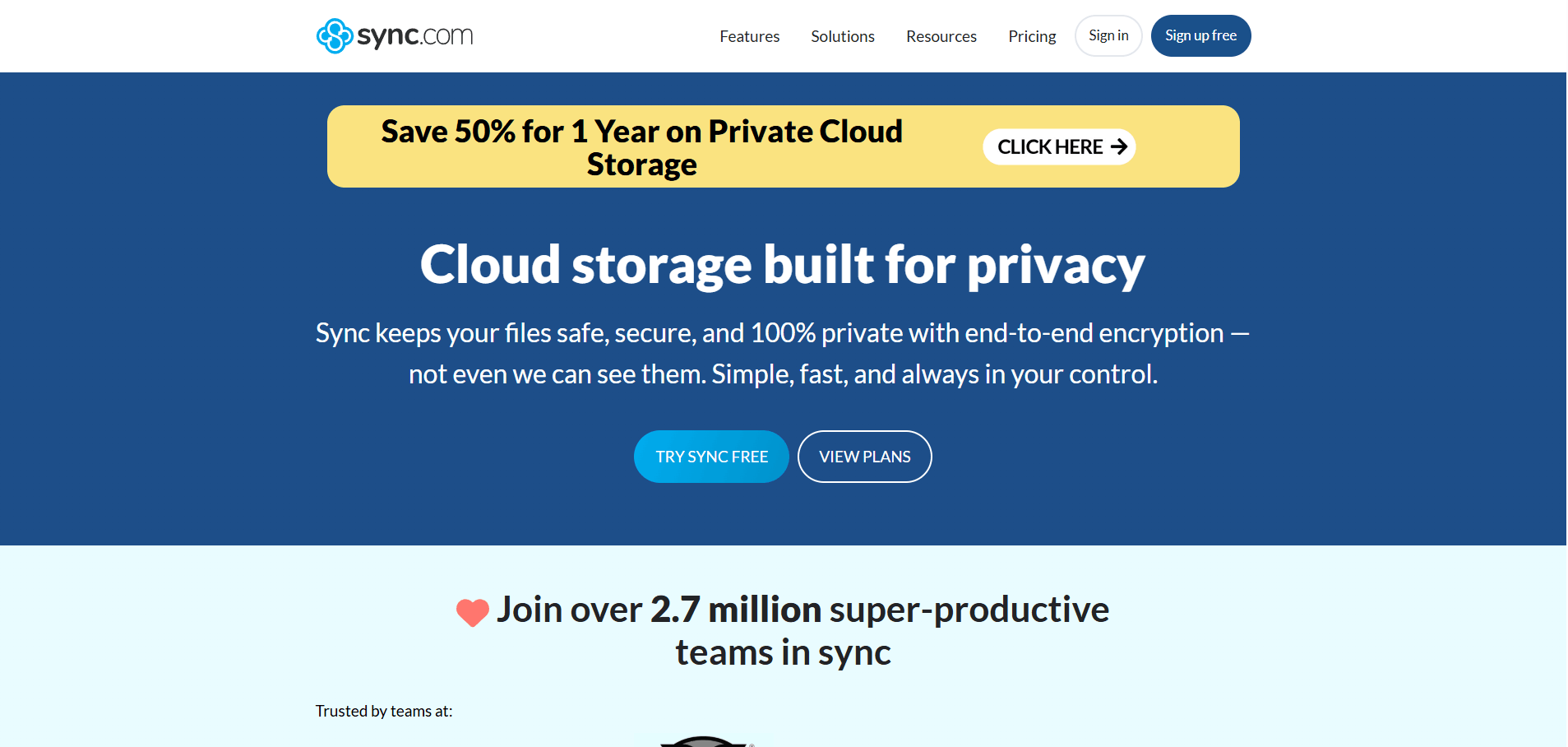
Sync.com offers end-to-end encryption and zero-knowledge authentication designed to protect sensitive files stored in the cloud against unauthorized access.
Hosting
Sync.com is provider-hosted and does not operate as a self-hosted platform.
Advantages
- End-to-end encrypted storage
- Zero-knowledge authentication
- Individual user accounts
- Two-factor authentication
- File versioning and recovery
- Secure shared folders
- Remote device-management options
- Suitable for families and smaller professional teams
Disadvantages
- Not self-hosted
- Enterprise integrations may be less extensive than Box or Microsoft 365
- External-sharing policies still require careful administration
- Organizations should verify current data-location and compliance options before purchase
Reddit and Community Insight
Sync.com was directly mentioned in the supplied Reddit discussion about protecting sensitive family documents.
The discussion also highlighted an important operational issue: family members should not share one password and one MFA method. Each authorized person should have a separate account.
Five Best Workflows
- Family estate folder: Share selected records with authorized relatives.
- Accounting client portal: Receive tax and bookkeeping documents.
- Small law office: Protect client records and agreements.
- Remote team workspace: Restrict folders according to employee roles.
- File recovery: Restore older versions after accidental changes or ransomware.
Pro Tip: Create a separate account for every employee or family member. Shared logins weaken auditing, MFA, and account revocation.
4. Box Enterprise: Best for Enterprise Governance
Official website: Visit Box
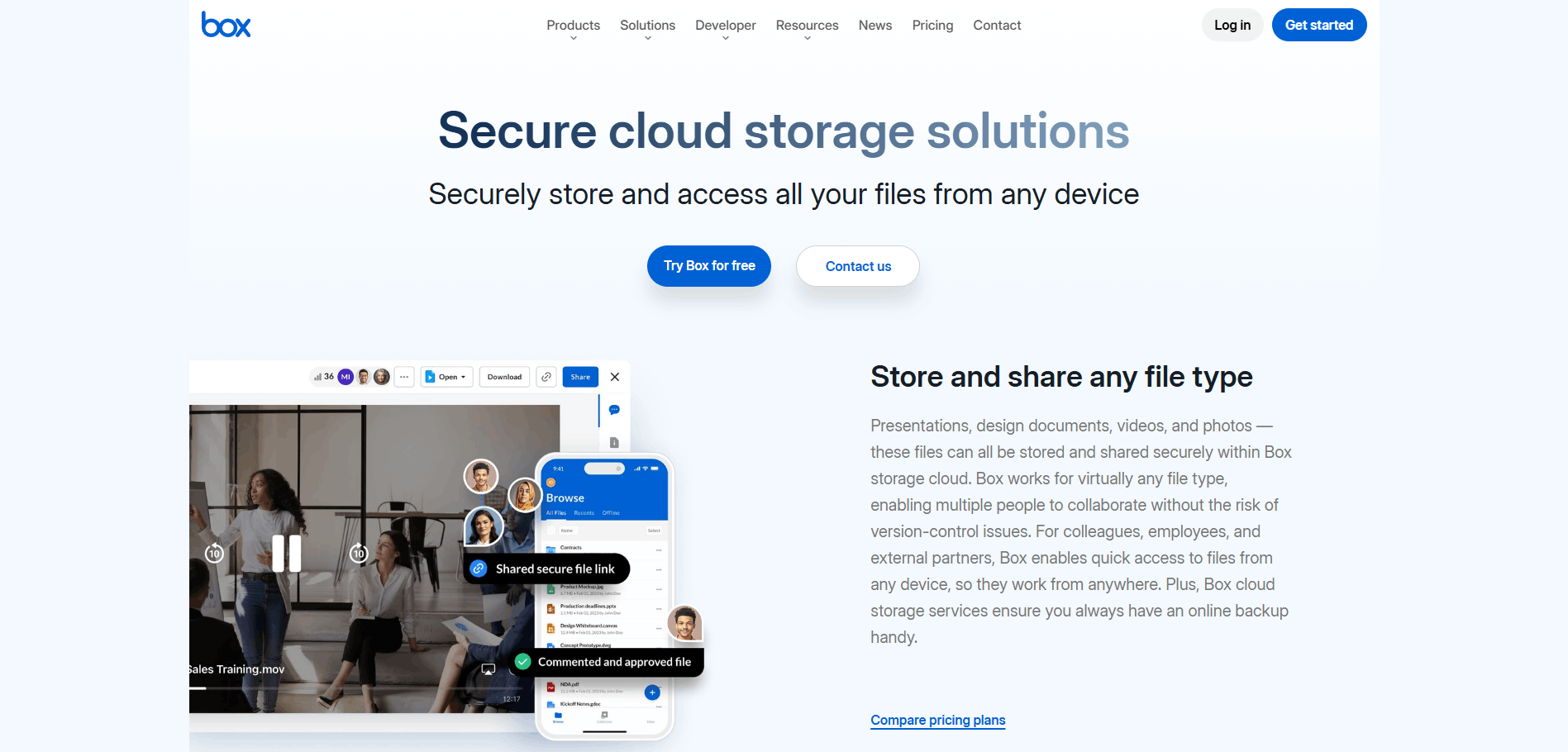
Box is an expert in enterprise content management, secure collaboration, access governance, data-loss prevention, classification and integrations.
Box KeySafe allows eligible organizations to use customer-managed encryption keys with supported cloud key management systems. Box says it does not see or access the customer-managed encryption keys used via KeySafe.
Hosting
Box is a provider-hosted enterprise cloud platform.
Advantages
- Enterprise access administration
- Data classification and DLP capabilities
- Detailed security and activity controls
- Customer-managed key options
- Workflow and application integrations
- Support for large and regulated organizations
- Centralized governance and reporting
Disadvantages
- Not zero-knowledge end-to-end encrypted by default
- Advanced security features may require higher plans or add-ons
- Licensing and configuration can be complex
- More functionality than most individuals or families need
Reddit and Community Insight
Box was not specifically recommended in the supplied Reddit discussion. It is included because of its enterprise governance, key-management, classification, and collaboration capabilities.
Five Best Workflows
- Enterprise contract repository: Classify and control legal agreements.
- Financial content management: Combine restricted access with audit records.
- Government contractor documents: Apply stronger key and access controls.
- External collaboration: Share files without sending uncontrolled attachments.
- DLP enforcement: Detect and restrict documents containing regulated data.
5. Cryptomator: Best for Encrypting an Existing Cloud
Official website: Visit Cryptomator
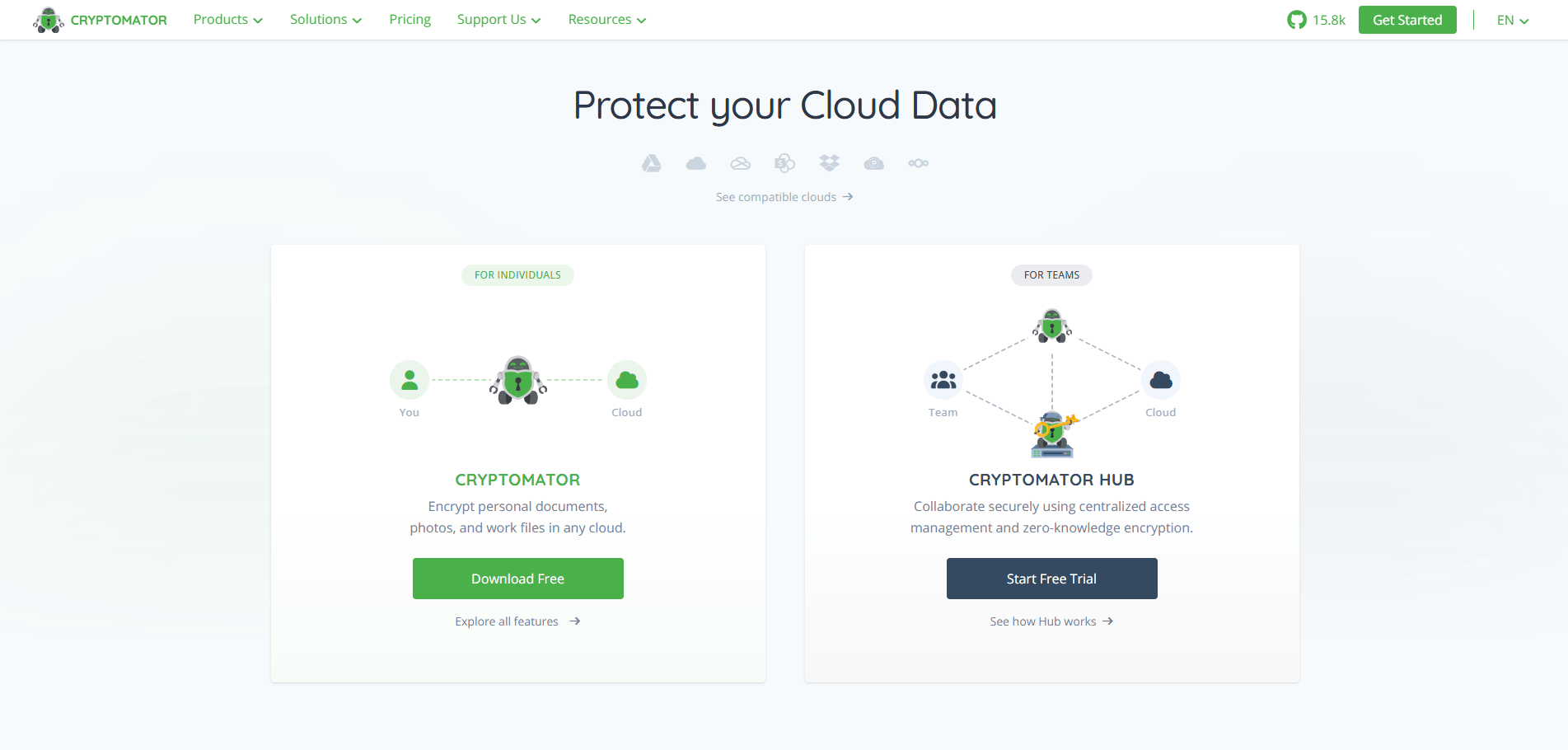
Cryptomator is not a cloud storage service. It is a client-side encryption tool that generates encrypted vaults within an existing storage service.
It works with platforms like Google Drive, Dropbox, OneDrive or a self-hosted environment. Cryptomator encrypts files prior to syncing to the storage provider.
Hosting
Encryption takes place on the user’s device. The underlying storage can be provider-hosted or self-hosted.
Advantages
- Adds client-side encryption to existing storage
- Open-source approach
- Independent of one storage provider
- Compatible with hosted and self-hosted storage
- Useful when migrating to a new provider is impractical
- Gives users direct control over encrypted vault access
Disadvantages
- Does not provide cloud storage
- Users must manage passwords and recovery information
- Collaboration requires additional planning
- An unlocked vault may remain exposed on a compromised device
- Cloud previews and server-side search may not work normally
- Some metadata, such as approximate file sizes, may remain observable
Reddit Comment
One contributor in the supplied discussion wrote:
“Cryptomator can be used to create an encrypted vault on any cloud storage. You fully control the access to it.”
This is a real user opinion, not a formal security audit. However, it reflects why privacy-conscious users add client-side encryption to an existing cloud platform.
Five Best Workflows
- Google Drive encryption: Protect selected folders before synchronization.
- OneDrive privacy layer: Add client-side encryption to an existing account.
- Encrypted family archive: Store estate and emergency documents.
- Self-hosted storage: Protect files stored on a private server.
- Multi-provider archive: Keep encrypted copies across different storage destinations.
Warning: Losing the vault password or recovery information may permanently remove access to the encrypted documents.
A Safer Family Setup
Do not keep every password, recovery code, bank account number, identity document, and emergency instruction inside one unprotected file.
A safer arrangement is:
- Passwords and recovery codes inside a reputable password manager
- Supporting documents inside an encrypted cloud vault
- Individual accounts and MFA for every authorized person
- One encrypted offline recovery copy
- Emergency-access instructions stored separately
- A scheduled review of who still needs access
What Should U.S. Organizations Check?
U.S. organizations should evaluate security according to their industry, data type, contractual obligations, and applicable state and federal requirements.
Financial and Customer Information
The FTC Safeguards Rule requires covered financial institutions to maintain an information-security program.
The FTC lists controls such as encryption of customer information at rest and in transit, access controls, multi-factor authentication, application security assessments, logging, service-provider oversight, and incident-response planning.
Healthcare Information
A cloud provider that creates, receives, maintains, or transmits electronic protected health information may qualify as a business associate under HIPAA.
A covered entity or business associate generally needs an appropriate Business Associate Agreement with the cloud provider and must otherwise comply with the HIPAA Rules. Encryption alone does not make a storage workflow HIPAA compliant.
General Business Security
NIST Cybersecurity Framework 2.0 organizes cybersecurity risk management around six functions:
- Govern
- Identify
- Protect
- Detect
- Respond
- Recover
These functions can help organizations connect cloud document protection with governance, monitoring, incident response, and recovery.
Compliance Warning: A vendor’s “HIPAA-ready,” “CCPA-ready,” or “compliant infrastructure” statement does not automatically make your organization compliant. Configuration, contracts, employee behavior, retention, access control, and incident response still matter.
Seven-Step Secure Cloud Storage Plan
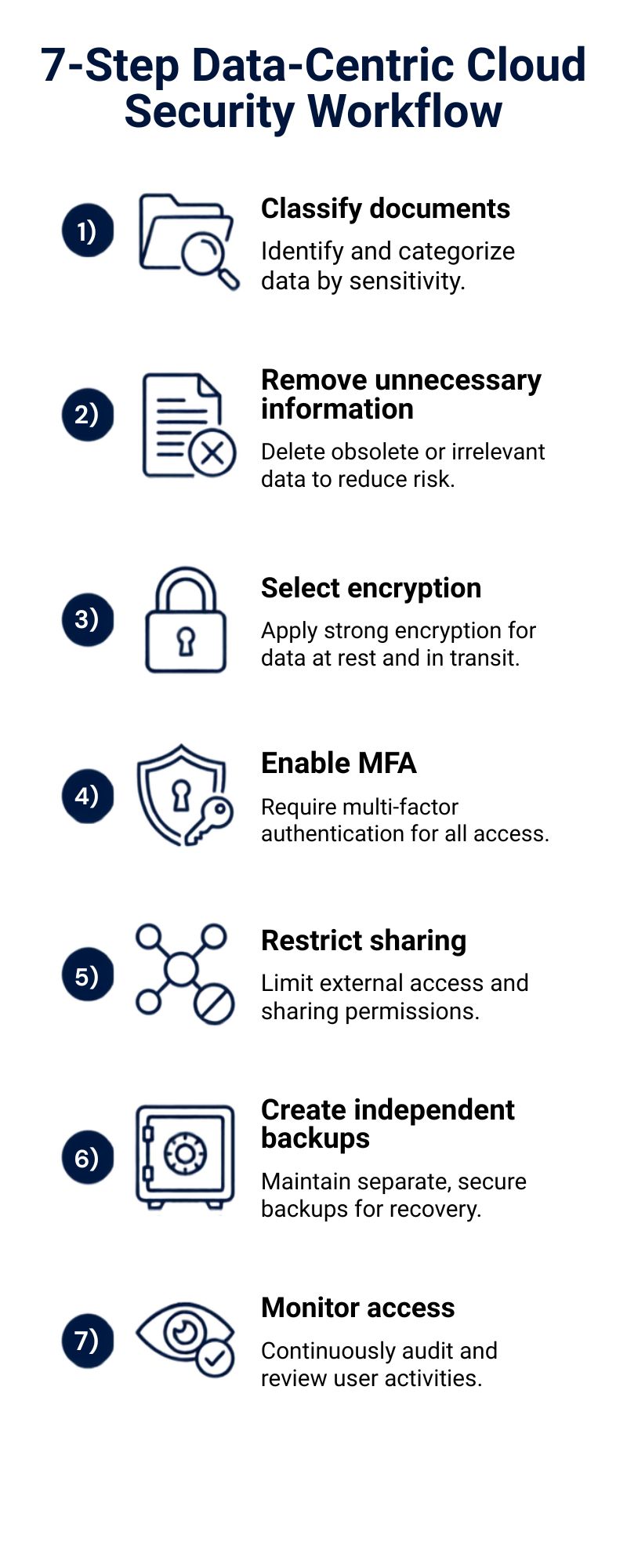
Step 1: Identify and Classify Sensitive Documents
Create an inventory of the documents your organization stores.
Classify them as:
- Public
- Internal
- Confidential
- Restricted
Apply the strongest controls to files that could cause significant legal, financial, operational, or personal harm.
Step 2: Remove Unnecessary Information
Do not upload documents that you no longer need.
Reduce:
- Duplicate files
- Expired records
- Old exported databases
- Unused shared folders
- Former employee access
- Unnecessary personal information
Less stored data means less information exposed during an incident.
Step 3: Select the Right Encryption Model
Use client-side, end-to-end, or zero-knowledge encryption when provider access would create unacceptable risk.
Consider customer-managed keys when an enterprise needs centralized control, integrations, auditability, and regulatory governance.
Step 4: Protect Every Account
Require:
- Individual user accounts
- Unique passwords
- Multi-factor authentication
- Passkeys or hardware security keys where supported
- Device screen locks
- Secure recovery methods
- Regular access reviews
CISA recommends enabling MFA for services such as email, file storage, and remote access.
Step 5: Restrict File Sharing
Apply least-privilege access.
Where available, use:
- Authenticated recipients
- Expiration dates
- View-only permissions
- Download restrictions
- Domain restrictions
- Watermarking
- Access revocation
- Sharing notifications
Avoid permanent public links for confidential information.
Step 6: Create an Independent Backup
Cloud storage and cloud synchronization are not always independent backups.
Maintain at least one recoverable copy outside the primary account or platform. CISA recommends maintaining offline, encrypted backups of critical data and testing backup integrity and restoration procedures regularly.
Step 7: Monitor, Test, and Improve
Review:
- Login activity
- File downloads
- Public links
- Failed access attempts
- New devices
- Permission changes
- Deleted files
- Suspicious exports
- Inactive accounts
Test account recovery and file restoration before a real incident happens.
Small organizations can also follow our seven cloud security tips for small businesses.
Seven-Day Provider Testing Plan
Do not migrate every confidential document immediately. Start with non-sensitive test files.
Day 1: Create Test Accounts
Create separate administrator and standard-user accounts. Enable MFA for both.
Day 2: Upload Sample Files
Upload non-sensitive Word documents, PDFs, images, and larger files.
Day 3: Test Sharing
Test internal sharing, external sharing, expiration dates, passwords, and download restrictions.
Day 4: Revoke Access
Remove a test user and confirm that access stops across browsers and devices.
Day 5: Test Recovery
Delete or modify a test document and restore an earlier version.
Day 6: Review Activity Logs
Check whether administrators can identify uploads, downloads, shares, deletions, and permission changes.
Day 7: Test Account Recovery
Test how the platform handles forgotten passwords, lost devices, recovery keys, and administrator intervention.
Common Cloud Storage Security Mistakes
Using One Shared Account
A shared login prevents reliable auditing and makes offboarding difficult.
Every authorized user should have an individual identity.
Depending Only on SMS Verification
SMS-based verification is better than having no MFA. However, passkeys, authenticator applications, and hardware security keys can provide stronger protection against phishing and account takeover.
Creating Permanent Public Links
Anyone who obtains a public URL may be able to access the file.
Use authenticated recipients, expiration dates, and access revocation wherever possible.
Storing Sensitive Information Forever
Unnecessary retention increases the amount of data exposed during a security incident.
Create and enforce a documented retention schedule.
Treating File Synchronization as Backup
A ransomware-encrypted or accidentally overwritten file may synchronize across connected devices.
Verify version history and maintain a separate recoverable copy.
Ignoring Endpoint Security
End-to-end encryption cannot protect a document that has already been opened on an infected or unlocked laptop.
Protect devices with updates, malware prevention, screen locks, encryption, and endpoint monitoring.
Losing Encryption Recovery Keys
Client-side encryption gives users more control, but it also creates responsibility.
Store recovery information in a secure location separate from the encrypted vault.
Trusting Compliance Logos Without Verification
Ask for:
- Audit reports
- Security documentation
- Contract terms
- BAA availability
- Breach-notification commitments
- Data-location details
- Subprocessor information
- Retention and deletion policies
My Opinion: What Should You Do Next?
For an individual or family storing tax, legal, identity, or estate documents, I would choose an end-to-end encrypted service such as Proton Drive, Tresorit, or Sync.com.
I would then:
- Create an individual account for every authorized person.
- Enable MFA.
- Store passwords in a password manager instead of a document.
- Create an encrypted offline recovery copy.
- Test account recovery before uploading irreplaceable files.
For a small U.S. business, Sync.com or Tresorit can offer a reasonable compromise between privacy and collaboration. Ultimately, the decision should be made on budget, control of access, audit needs, industry requirements and employee usability.
Box is more practical for a larger enterprise that needs DLP, classification, integrations, legal holds, centralized reporting, and customer-controlled encryption keys.
For an organization that cannot move off Google Drive, OneDrive, Dropbox or a self-hosted storage platform, Cryptomator can provide client-side encryption on select high-risk folders.
Don’t transfer all the files on day one.
Run the seven-day test and review findings with your IT or security lead and migrate sensitive documents in controlled stages.
Useful Resources
Frequently Asked Questions
What is the safest cloud storage for sensitive documents?
The safest option depends on your use case.
Proton Drive is good for privacy-minded people, Tresorit is good for secure workplace collaboration, Sync.com is good for families and small businesses, Box is good for enterprise governance, and Cryptomator is good for encrypting files stored on an existing cloud platform.
Is encrypted cloud storage completely secure?
No system is completely secure.
Encryption minimizes the chances of data being viewed by the wrong people but lost devices, phishing, weak passwords, bad recovery processes, too many permissions, and public links to share can all leak data.
Can a cloud provider read encrypted files?
It depends on who controls the decryption keys.
With normal server-side encryption, the provider could technically decrypt your files. Client-side, zero-knowledge, and end-to-end encrypted services are designed to minimize or eliminate provider access to file contents.
Is Google Drive safe for confidential documents?
Google Drive may be appropriate for many normal business and personal files.
For extremely sensitive documents, consider client-side encryption, Google Workspace client-side encryption where available, or a zero-knowledge encrypted storage provider.
What is zero-knowledge cloud storage?
Zero-knowledge cloud storage is built so that the provider doesn’t have the information necessary to decrypt a user’s protected files.
This adds to privacy, but can make it harder to recover your password or account.
Should passwords be stored in cloud documents?
It’s generally better to store passwords, recovery codes, and account secrets in a good password manager rather than a Word document, PDF, or a spreadsheet.
Supporting records may be maintained separately in an encrypted cloud vault.
Is encrypted cloud storage HIPAA compliant?
Encryption alone does not satisfy HIPAA requirements.
A covered entity or business associate may need the right Business Associate Agreement, a risk analysis, the right policies, workforce training, and administrative, physical, and technical safeguards.
Backup records can be stored separately in an encrypted cloud vault.
Do I still need a backup?
Yes.
Keep a separate copy of important documents, tested and recoverable. Don’t assume that a recycle bin, file synchronization, or version history is a complete backup strategy.
Is self-hosted cloud storage safer?
Not automatically.
Self hosting can provide more control over data location and infrastructure. Your organization is responsible for patching, authentication, monitoring, backups, encryption, availability, and incident response.
A well configured hosted service can be more secure than a poorly maintained self-hosted server.
What should I do before changing providers?
Before migrating:
- Export a test batch.
- Check file integrity.
- Recreate access permissions.
- Test sharing and recovery.
- Verify data-residency requirements.
- Confirm retention obligations.
- Maintain the original copy until validation is complete.
- Securely remove data from the old provider after approval.
Conclusion
Secure cloud storage for sensitive documents in 2026 requires more than selecting a recognizable company or seeing “AES-256” on a product page.
Start by identifying which documents are genuinely sensitive. Choose a provider whose security model matches the potential risk, and test the complete workflow before moving critical data.
Your next action: Select two providers from this guide, run the seven-day test, and compare their encryption, access, sharing, logging, backup, and recovery controls before making a final decision.
Share this guide: X | Facebook | LinkedIn
Author: Safe Network Hub Team
Author Expertise: Cloud Security Researchers and IT Infrastructure Specialists
Last Update: August 4, 2026
Share This Network Security Guide
Help IT professionals, network engineers, and students strengthen their cyber defense.
Zubayer Hasan
LinkedIn Profile →Md Zubayer AL Hasan is the lead cybersecurity platform architect and security researcher at SafeNetworkHub. Dedicated to zero-knowledge cryptography, infrastructure vulnerability auditing, and building accessible privacy tools.
0 Comments
No comments yet
Have a question or insight about this network security guide? Be the first to share your thoughts!
Write the first comment →