

The queries_failed_to_execute field in a KICS results.json report shows how many security queries failed during an Infrastructure as Code (IaC) scan. A value of 0 means no query execution failures were reported. A value greater than zero means some checks did not execute successfully. This guide explains what the counter means, how to find the cause, and when a KICS report is reliable enough for a deployment decision.
What Does queries_failed_to_execute Mean in KICS?
queries_failed_to_execute counts security queries that KICS could not execute successfully. It does not count detected vulnerabilities, and it does not identify which queries failed.
KICS (Keeping Infrastructure as Code Secure) is an open-source security scanner developed by Checkmarx. It analyzes infrastructure configuration files, including Terraform, Kubernetes, Docker, and CloudFormation, against security rules.
The official KICS JSON report documentation describes queries_failed_to_execute as the number of queries that failed to execute.
| Report value | Meaning | Recommended action |
|---|---|---|
0 | No query execution failures reported | Review scope and security findings |
1 | One query failed | Examine the diagnostic logs |
2 or more | Multiple queries failed | Identify affected queries and investigate |
| Field missing | Execution counter unavailable | Verify the report format and version |
A value of zero is encouraging, but it does not establish that every expected rule was included or that the infrastructure is vulnerability-free.
Example: Understanding a KICS results.json report
{
  "kics_version": "v2.2.0",
  "files_scanned": 12,
  "files_parsed": 12,
  "files_failed_to_scan": 0,
  "queries_total": 300,
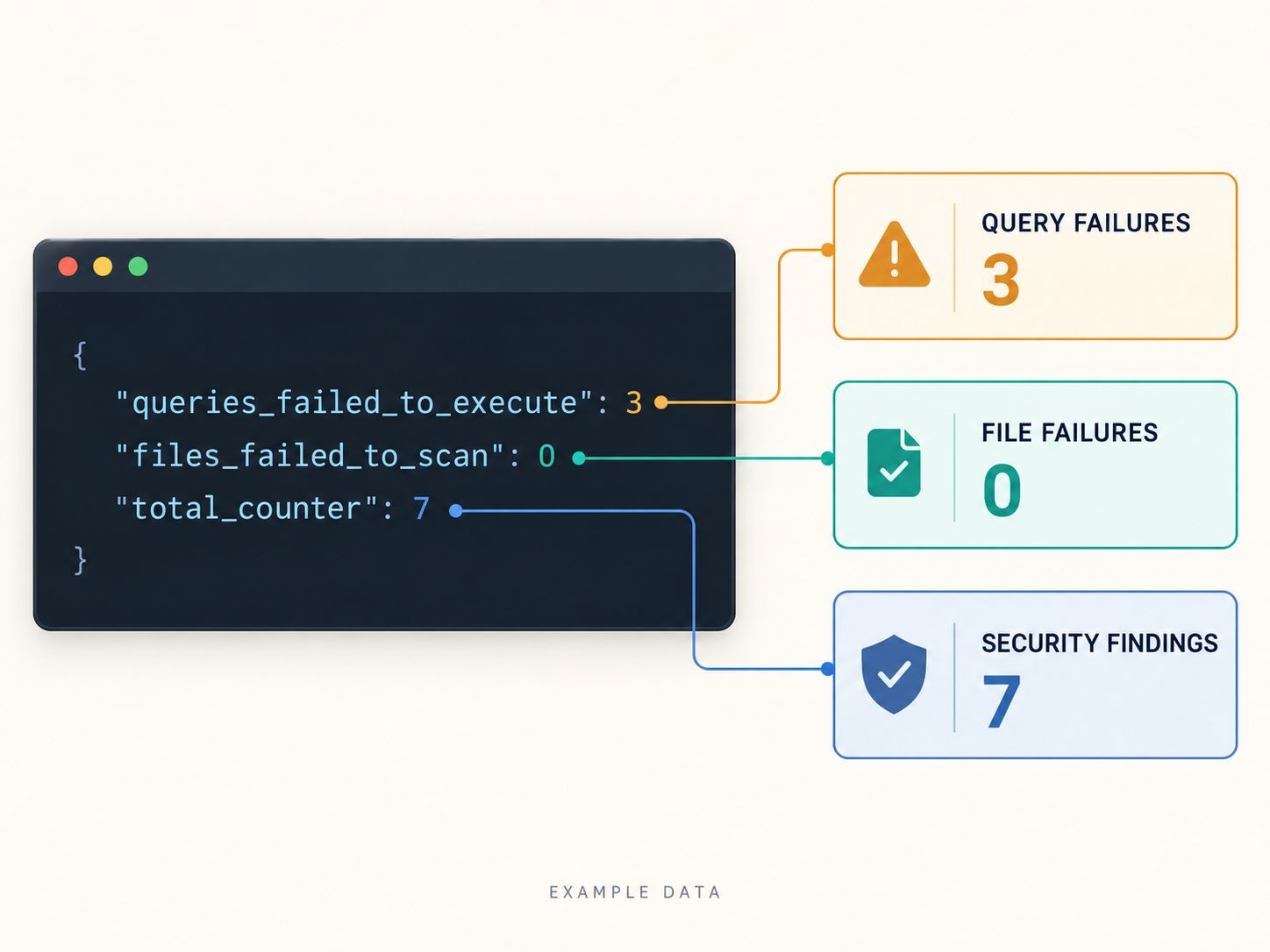
  "queries_failed_to_execute": 3,
  "queries_failed_to_compute_similarity_id": 0,
  "total_counter": 7
}This example shows that:
- KICS scanned 12 files and successfully parsed 12.
- Three security queries failed during execution.
- Seven security findings were reported.
- No similarity-ID computation failures were reported.
The seven security findings remain relevant, but the failed queries require investigation before treating the report as complete.
If you also need to inspect the underlying infrastructure configuration, SafeNetworkHub’s IaC Security Scanner provides an independent, lightweight security check. It does not execute KICS policies or repair KICS JSON reports.
How to Check queries_failed_to_execute in results.json
The fastest method is to read the value using a JSON editor or the jq command-line utility.
Open results.json in VS Code and search for:
"queries_failed_to_execute"Alternatively, run:
jq '.queries_failed_to_execute' results.jsonIf the output is:
3KICS reported three failed query executions.
To examine additional counters together:
jq '{
  files_scanned,
  files_parsed,
  files_failed_to_scan,
  queries_total,
  queries_failed_to_execute,
  queries_failed_to_compute_similarity_id,
  total_counter
}' results.json
This is more useful than reading a single counter because query execution, input parsing, and security findings are separate aspects of scan health.
What if the result is null?
If the command prints null, the requested property is missing or contains a JSON null value.
Do not interpret null as zero. Check whether the report is the expected KICS JSON output and whether the scan completed.
Can results.json identify the failed query?
The top-level queries_failed_to_execute counter does not provide a list of failed query IDs.
The queries array in a KICS JSON report describes reported findings and their related queries; it should not be treated as a definitive list of query execution failures.
Why Do KICS Queries Fail to Execute?
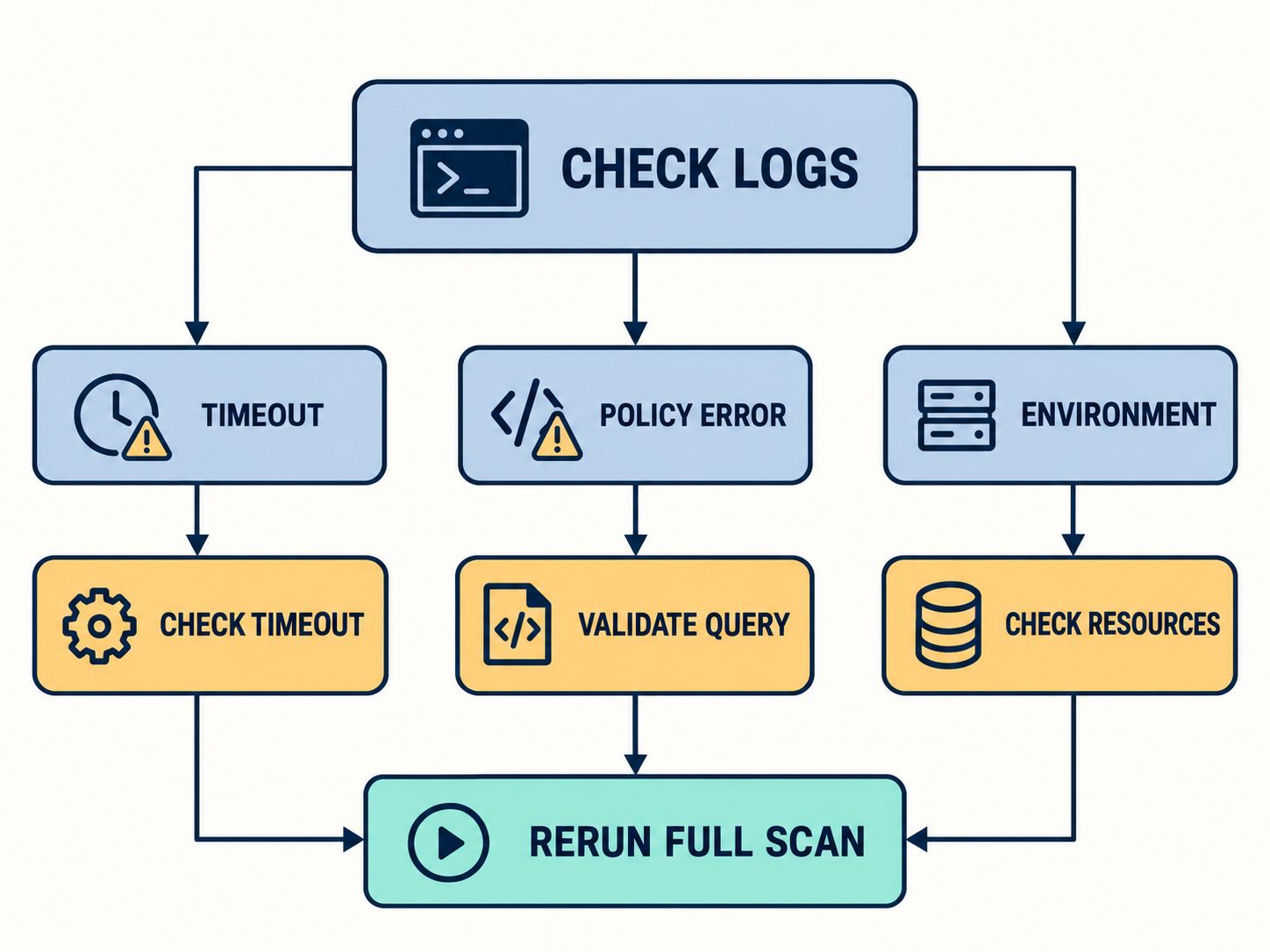
Query execution failures can result from several types of problems, including timeouts, policy errors, dependencies, and environmental conditions. The counter does not identify which cause occurred.
| Potential cause | What to investigate | Correct next step |
|---|---|---|
| Execution timeout | Query exceeded configured time limit | Inspect logs and timeout settings |
| Custom Rego error | Invalid syntax or runtime behavior | Review and validate the policy |
| Dependency problem | Missing query libraries or related files | Verify paths and query package |
| Version incompatibility | Custom rule behaves differently after an update | Compare versions and rule requirements |
| Resource pressure | CPU or memory limitations during scanning | Examine runtime logs and resource usage |
| Invalid input configuration | Parsing or unsupported input issues | Check file-scanning and parsing diagnostics |
Are file-parsing failures the same as query execution failures?
No. KICS reports file-scanning problems separately through files_failed_to_scan.
A malformed configuration file may prevent successful analysis of that file, but it should not automatically be classified as a failed security query.
When scanning Kubernetes manifests, you should also distinguish static configuration checks from image, admission-control, and runtime security assessments. The Kubernetes Security Tool Finder explains the additional security layers.
How to Fix KICS queries_failed_to_execute Errors
The most reliable approach is to reproduce the failure, collect diagnostic evidence, isolate the affected query, and rerun the complete scan.
Step 1: Check your installed KICS version
Run:
kics versionRecord the output.
Also check the version recorded in results.json and confirm that the same query collection and configuration are being used.
The official GitHub release page listed KICS v2.2.0 as the latest release on October 14, 2026. You do not necessarily need to upgrade immediately; first identify whether the failure is related to your current installation.
Step 2: Capture detailed diagnostic logs
Run KICS against your actual infrastructure directory:
mkdir -p ./kics-output

kics scan \
  -p ./infra \
  -o ./kics-output \
  --report-formats json \
  --log-level DEBUG \
  --log-path ./kics-output/kics-debug.log
Replace ./infra with the directory you want to scan.
The generated logs may reveal a query evaluation failure, timeout, dependency problem, or another underlying error.
The supported command flags are documented in the official KICS CLI reference.
Step 3: Identify the failed query
Review the diagnostic logs for the affected query identifier and its associated error.
Useful information to capture includes:
- Query UUID or query name, where available.
- KICS version.
- Type of infrastructure being scanned.
- Whether custom policies are enabled.
- Any timeout or evaluation error.
- Whether the same failure happens consistently.
Keep confidential paths, access tokens, credentials, and infrastructure secrets out of public support requests.
A Cloud Monitoring Readiness Checker can help assess whether your wider infrastructure has adequate diagnostic and monitoring processes, although it does not inspect KICS execution logs directly.
Step 4: Isolate the affected query
If the logs identify a query UUID, run a targeted scan:
kics scan \
  -p ./infra \
  --include-queries QUERY_UUID \
  -o ./kics-output \
  --report-formats json
Replace QUERY_UUID with the actual identifier.
This technique can help determine whether the problem is reproducible with a single query.
If the query succeeds in isolation but fails during the full scan, investigate differences in workload, input scope, execution conditions, or configuration.
Step 5: Increase the timeout only when appropriate
KICS provides a query execution timeout setting. In the documented CLI, the default is 60 seconds.
If diagnostic logs indicate a timeout, you can test a longer limit:
kics scan \
  -p ./infra \
  --timeout 120 \
  -o ./kics-output \
  --report-formats json
This sets the query execution timeout to 120 seconds.
If the failure disappears, compare the original and repeated scan conditions before deciding that the issue is resolved.
Step 6: Restore and rerun the complete scan
Once you have made a correction, rerun the original full scan.
Confirm that the intended files, query configuration, KICS version, and execution environment are consistent.
Check the new report for:
"queries_failed_to_execute": 0Also verify files_failed_to_scan, files_parsed, queries_total, and any reported security findings.
How to Tell Whether a KICS Report Is Complete
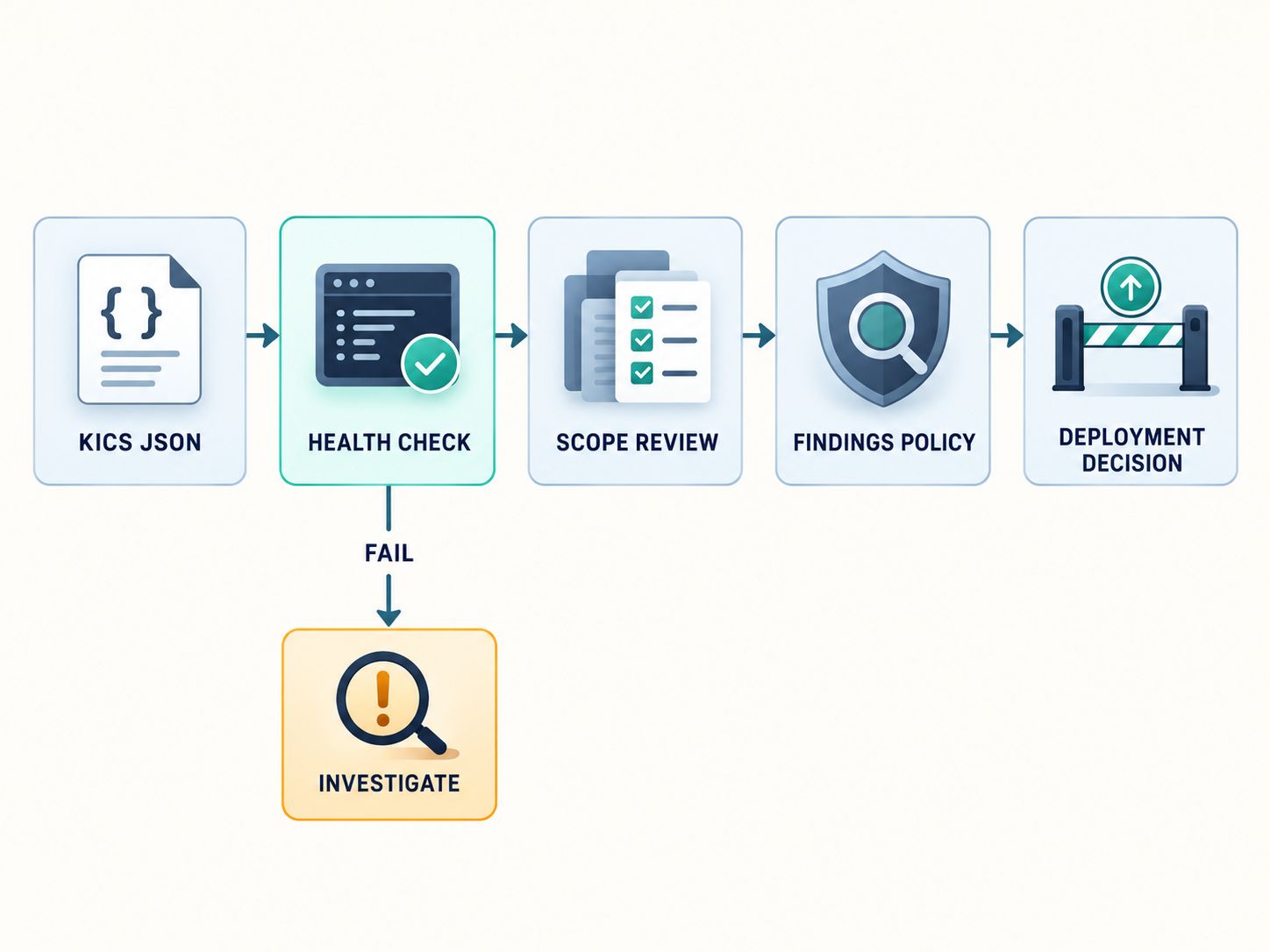
A KICS report should not be accepted solely because queries_failed_to_execute equals zero.
There are several conditions worth evaluating.
| Condition | Interpretation |
|---|---|
| Query execution failures = 0 | No execution failures reported |
| File-scanning failures = 0 | No file-scanning failures reported |
| Parsed files greater than 0 | At least some input files were processed |
| Executed queries greater than 0 | At least some security queries were executed |
| Expected files and rules included | Intended scan scope appears covered |
| Findings reviewed | Security results have been evaluated |
The final two checks are especially important.
For example, a scanner can report no failures if it processes only a subset of the files you intended to scan.
Similarly, excluding problematic queries might reduce the failure counter while weakening security coverage.
For production workloads, you may also need a wider Cloud Security Controls Checker to assess implementation evidence beyond static IaC scanning.
KICS Query Failure vs. Security Vulnerability: What’s the Difference?
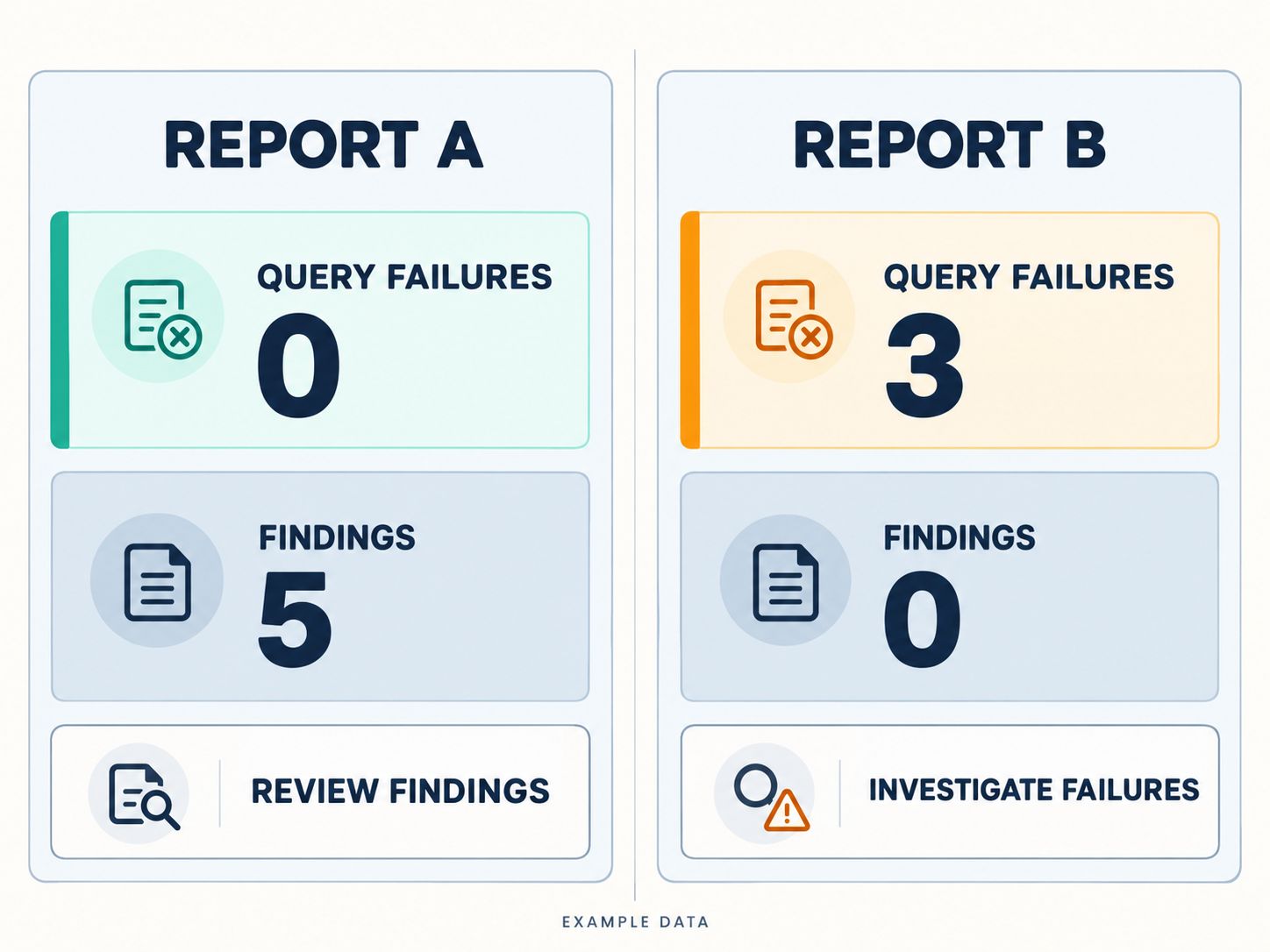
A failed query indicates a problem executing a security check. A vulnerability finding indicates a potential issue identified by a successfully evaluated check.
Consider two illustrative reports:
| Metric | Report A | Report B |
|---|---|---|
| Files scanned | 12 | 12 |
| Files parsed | 12 | 12 |
| Queries executed | 300 | 300 |
| Queries failed to execute | 0 | 3 |
| Security findings | 5 | 0 |
Report A: The basic execution counters look healthy, but five security findings require review.
Report B: No security findings were reported, but three query failures mean you cannot assume that all intended checks were completed.
Report A is healthier from an execution standpoint. Neither report alone demonstrates that the infrastructure is secure.
A security team can use a Cloud Risk Assessment Tool to prioritize wider architecture risks alongside these static scanning findings.
How to Validate KICS Scan Health in CI/CD
You can use a small JSON validation step to check whether essential scan-health counters are present and meet basic expectations.
The following Bash example requires jq and a generated JSON report:
#!/usr/bin/env bash
set -euo pipefail

REPORT="./kics-output/results.json"

if [[ ! -f "$REPORT" ]]; then
  echo "FAIL: KICS report is missing"
  exit 1
fi

if jq -e '
  (.queries_total |
    type == "number" and . > 0) and
  (.files_parsed |
    type == "number" and . > 0) and
  (.queries_failed_to_execute |
    type == "number" and . == 0) and
  (.files_failed_to_scan |
    type == "number" and . == 0)
' "$REPORT" >/dev/null; then
  echo "PASS: Basic KICS scan-health checks passed"
else
  echo "FAIL: Review KICS scan completeness"
  exit 1
fi
This validation checks that:
- The report exists.
- At least one query was executed.
- At least one file was parsed.
- No query execution failures were reported.
- No file-scanning failures were reported.
Practical demonstration
The validation expression was tested locally with two synthetic JSON fixtures.
| Test case | Query failures | Findings | Gate output |
|---|---|---|---|
| Healthy execution counters | 0 | 5 | PASS |
| Failed query executions | 3 | 0 | FAIL |
Important CI/CD limitation
This gate checks basic execution health. It does not verify that all expected files and security policies were included, and it does not determine whether discovered vulnerabilities are acceptable.
Also, KICS can produce nonzero exit codes when security findings are present. Configure the pipeline so that the report-health check runs when a report is available, while preserving appropriate handling of scanner-engine failures and security findings.
Your team’s Application Security Best-Practices Checker can help review whether such scanning and CI/CD controls are included in the secure development process.
The Cloud Security Policy Generator can help document which findings require remediation, who approves exceptions, and what evidence must be retained.
What Should You Do After Fixing the Failed Queries?
Once the failed KICS queries execute correctly, review the resulting vulnerabilities and validate the broader environment.
Start with the actual Terraform, Kubernetes, CloudFormation, or other infrastructure files and resolve confirmed misconfigurations.
Next, use the results to prioritize security controls rather than immediately declaring the infrastructure safe.
For cloud-hosted systems, a broader Cloud Security Assessment can help examine network, identity, storage, and governance controls that might not be fully represented in your IaC scan.
An Interactive Cloud Security Checklist can help document follow-up actions for configuration hardening.
Finally, remember that static code analysis cannot observe every runtime threat. A separate Cloud Threat Detection Readiness Checker can support your review of monitoring and detection capabilities after deployment.
These assessments complement KICS. They do not certify that a failed query has been fixed.
Frequently Asked Questions
What does KICS queries_failed_to_execute: 0 mean?
It means KICS reported zero query execution failures. You must still confirm that the intended infrastructure files and security rules were included and review the findings.
Is queries_failed_to_execute: 1 a vulnerability?
No. It indicates that one security query failed during execution. It is a scan-health problem rather than a direct vulnerability finding.
Why does KICS show zero vulnerabilities but failed queries?
Successfully executed rules may have found no vulnerabilities, while other queries failed. A zero-finding report does not automatically indicate complete rule coverage.
Does KICS results.json show the failed query ID?
The top-level failure counter does not identify the failed query. Diagnostic logs are the better starting point for locating the relevant error and query identifier.
Can a timeout cause queries_failed_to_execute to increase?
A query execution timeout is a possible cause. Confirm the timeout in the logs before increasing the configured limit.
What is queries_failed_to_compute_similarity_id?
It is a separate counter for failures to compute similarity IDs used in identifying and correlating security findings. It should not be confused with query execution failures.
Can KICS return a nonzero exit code even when all queries execute?
Yes. KICS can return a finding-related nonzero exit status when vulnerabilities are detected. That is different from an engine error or a query execution failure.
Should I ignore failed queries if the remaining scan has no critical findings?
No. Investigate the failure or document an explicitly approved exception. Ignoring failed checks can leave relevant infrastructure risks unexamined.
Final Thoughts
The most important fact about KICS results.json queries_failed_to_execute is that it measures incomplete security-query execution, not the number of vulnerabilities.
When the value is greater than zero, examine debug logs, identify the underlying cause, and rerun the complete scan with the intended query configuration.
Accepting a report requires more than a zero failure counter. You should also confirm scan scope, file parsing, query selection, and the status of security findings.
Written by: Md Zubayer Al Hasan
Have you encountered a failed KICS query while scanning Terraform, Kubernetes, or another IaC configuration? Share the KICS version and a sanitized error message in the comments. Your troubleshooting details may help other developers identify the same problem.
Share This Network Security Guide
Help IT professionals, network engineers, and students strengthen their cyber defense.
Zubayer Hasan
LinkedIn Profile →Md Zubayer AL Hasan is the lead cybersecurity platform architect and security researcher at SafeNetworkHub. Dedicated to zero-knowledge cryptography, infrastructure vulnerability auditing, and building accessible privacy tools.
0 Comments
No comments yet
Have a question or insight about this network security guide? Be the first to share your thoughts!
Write the first comment →