
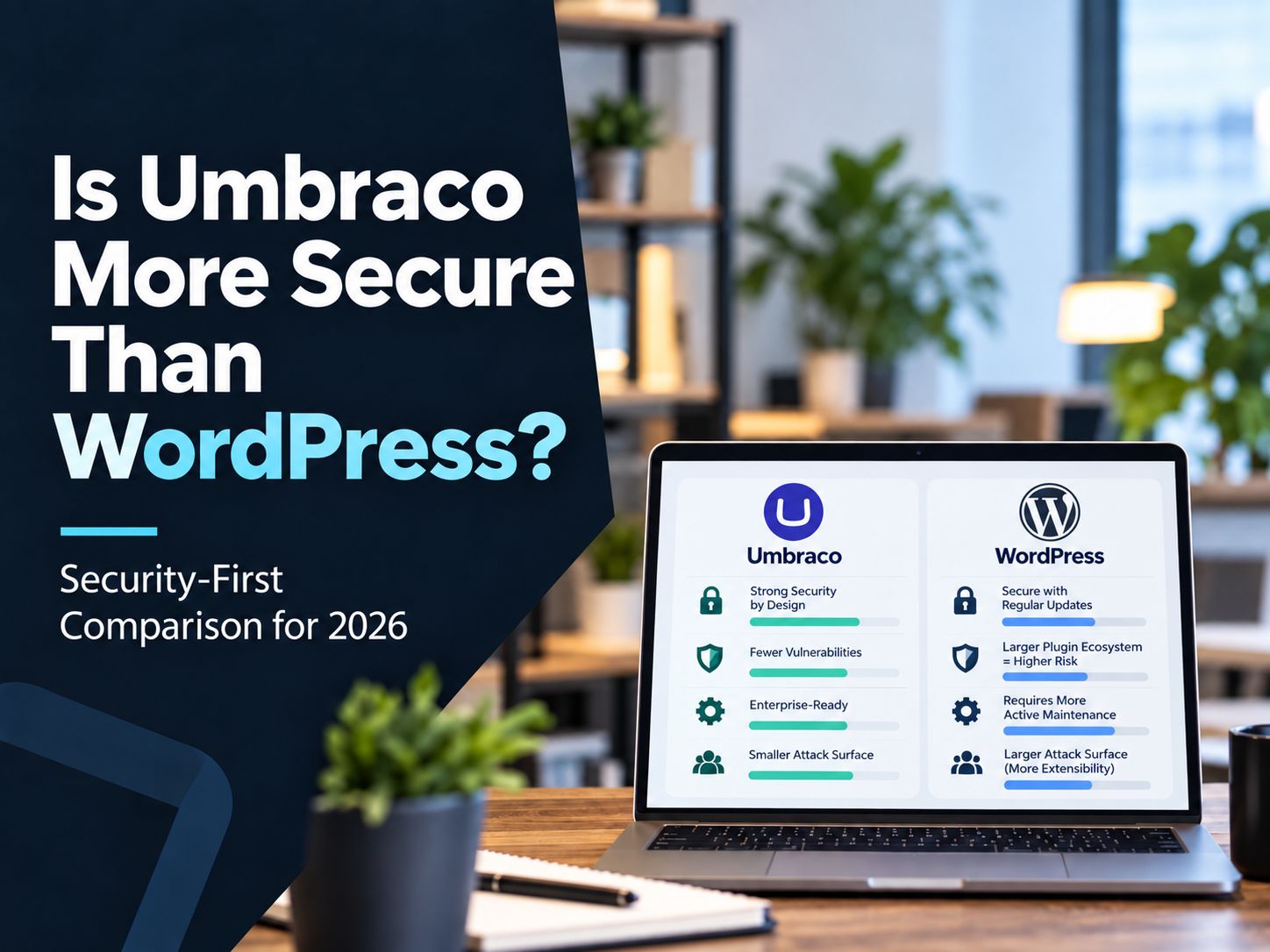
Is Umbraco more secure than WordPress? In a tightly controlled, developer-managed deployment, Umbraco often has a practical security advantage because organizations typically run fewer third-party extensions and exercise stricter control over code changes. But WordPress itself is not inherently insecure, and a professionally managed WordPress site can achieve a very strong security posture.
The useful comparison is therefore not “.NET vs PHP” or “Umbraco good, WordPress bad.” It is how each platform affects attack surface, dependencies, patching, administrator access, hosting, custom development, and long-term maintenance.
Research status: Reviewed for current platform information on October 6, 2026.
Is Umbraco More Secure Than WordPress?
Usually, Umbraco has a slight security advantage in highly controlled enterprise environments, but there is no universal winner.
Here is the security-focused answer:
| Security factor | Umbraco | WordPress | Practical assessment |
|---|---|---|---|
| Core security process | Mature | Mature | Roughly equal |
| Third-party dependency exposure | Usually smaller | Can become large | Umbraco advantage |
| Managed security patching | Strong on Umbraco Cloud | Depends heavily on host/setup | Umbraco Cloud advantage |
| Core automatic updates | Supported through platform/cloud processes | Mature automatic update system | Both strong |
| Extension security | Packages still require review | Huge plugin/theme ecosystem requires active governance | Umbraco easier to govern |
| Administrator security | Strong controls available | Strong controls available | Depends on configuration |
| Custom-code risk | Developer dependent | Developer dependent | Tie |
| Hosting flexibility | Strong on modern .NET infrastructure | Extremely broad | Different strengths |
| Support lifecycle | Explicit LTS/STS model | Latest release officially supported; security fixes sometimes backported | Umbraco more predictable |
| Security outcome | Strong when maintained | Strong when maintained | Operations decide the result |
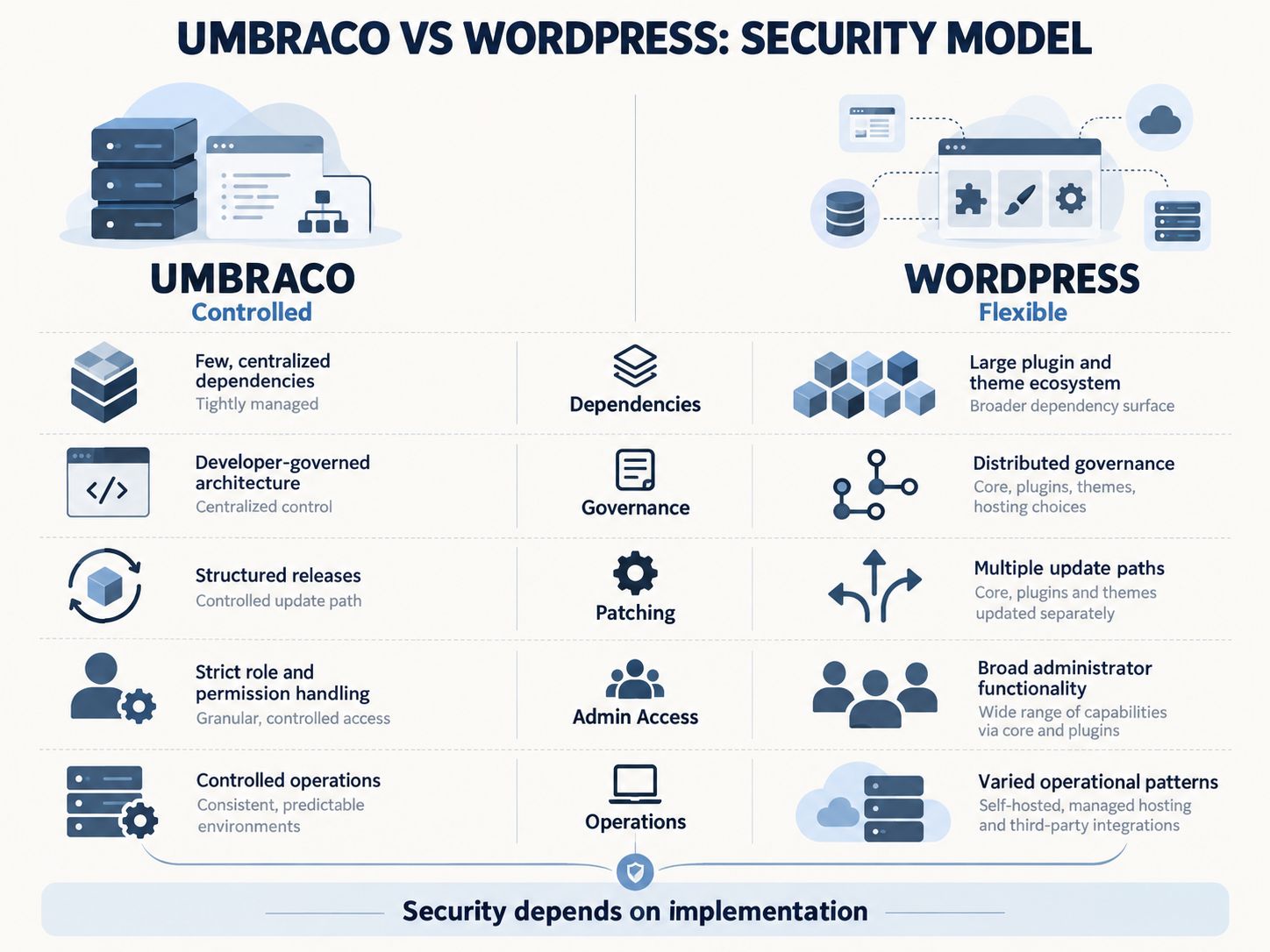
This table is a decision framework, not a laboratory benchmark. There is no trustworthy public dataset that takes equivalent Umbraco and WordPress websites, gives them identical hosting, identical administrator controls, identical custom code and identical maintenance, and then measures which one gets compromised more often.
That distinction matters.
Key Point: Comparing raw vulnerability counts or hacked-site totals without adjusting for install base, extensions, configuration and maintenance produces a misleading security comparison.
If you already operate either CMS, a structured Website Security Checklist will tell you more about your actual exposure than the CMS name alone.
When Does Umbraco Actually Have a Security Advantage?
Umbraco’s clearest advantage appears when an organization wants strict development governance and a deliberately limited dependency footprint.
Imagine two websites.
The first is an Umbraco project where every production change passes through developers, the package list is small, administrators cannot casually install new code, the organization follows an LTS upgrade plan, and the deployment runs through controlled infrastructure.
The second is a WordPress site where multiple administrators can install plugins, 30 extensions have accumulated over several years, several are maintained by different vendors, and nobody clearly owns patch testing.
Umbraco has the obvious advantage in that scenario.
But change the WordPress installation to five carefully selected plugins, managed hosting, MFA, least privilege, staging, automated backups and a defined vulnerability-remediation process, and the security gap becomes much smaller.
This is why governance matters more than branding.
A Vulnerability Management Checklist is useful here because it forces the organization to define discovery, prioritization, remediation and verification rather than simply assuming updates are being handled.
📢 Share This Insight
“Umbraco’s biggest security advantage is often governance: fewer dependencies and tighter control over who can change production.”
WordPress Plugins Are a Real Risk—but the Old Comparison Is Outdated
WordPress’s plugin ecosystem increases potential attack surface, but saying WordPress.org performs no meaningful security screening is no longer accurate in 2026.
Every additional plugin can introduce another codebase, another release cycle and potentially another dependency chain that must be maintained.
That risk is real.
However, WordPress.org strengthened its distribution process in 2026. Since June 2026, every new release of a WordPress.org-hosted plugin passes through automated security analysis before distribution through the WordPress.org update API. High-risk releases can be blocked before users receive them.
Source: WordPress Developer Resources, “Automated Security Review,” first published September 9, 2026.
This does not make every plugin safe.
The plugin developer still controls the code, vulnerabilities can escape automated detection, commercial plugins outside WordPress.org may have different processes, and abandoned extensions remain a serious concern.
A mature WordPress team should therefore evaluate the plugin’s maintenance history, update frequency, developer reputation, necessity, privileges and replacement options before putting it into production.
The Interactive App Security Checklist can help review application-level controls such as authorization, authentication, injection defense, secrets and dependencies.
Warning: “The plugin was safe when we installed it” is not a security strategy. Dependencies must remain monitored throughout their lifecycle.
Does Umbraco Have the Same Third-Party Risk?
Yes, although the ecosystem and typical deployment model are different.
Umbraco also supports packages and integrations. Its official Marketplace contains community and commercial extensions.
So the claim that Umbraco avoids third-party-code risk entirely is incorrect.
The practical difference is that Umbraco projects are often built through developer-controlled workflows. That can make casual extension sprawl less common.
But a poorly maintained Umbraco package, vulnerable NuGet dependency, unsafe custom integration or insecure bespoke component can still create serious exposure.
The correct rule for both systems is:
Every dependency you add becomes something your team must trust, inventory, monitor and eventually update or remove.
What Do the Latest 2026 Security Releases Tell Us?
They show that both platforms develop vulnerabilities and both require fast patching.
WordPress 7.1.2 was released on September 22, 2026 to fix a critical-severity vulnerability. WordPress reported that, under specific server and theme preconditions, an unauthenticated attacker could cause page-template resolution to include a chosen readable PHP file, potentially leading to remote code execution.
You can review the official WordPress 7.1.2 security release.
Umbraco issued an important advisory on August 18, 2026 covering four vulnerabilities across Umbraco CMS, Forms and AI. The highest-severity CMS issue involved insufficient authorization in the backoffice Management API; under relevant runtime conditions, a low-privileged authenticated account could potentially escalate the impact to remote code execution.
The official Umbraco August 18 security advisory provides the affected versions and fixes.
The lesson is not that either platform failed.
Software vulnerabilities happen.
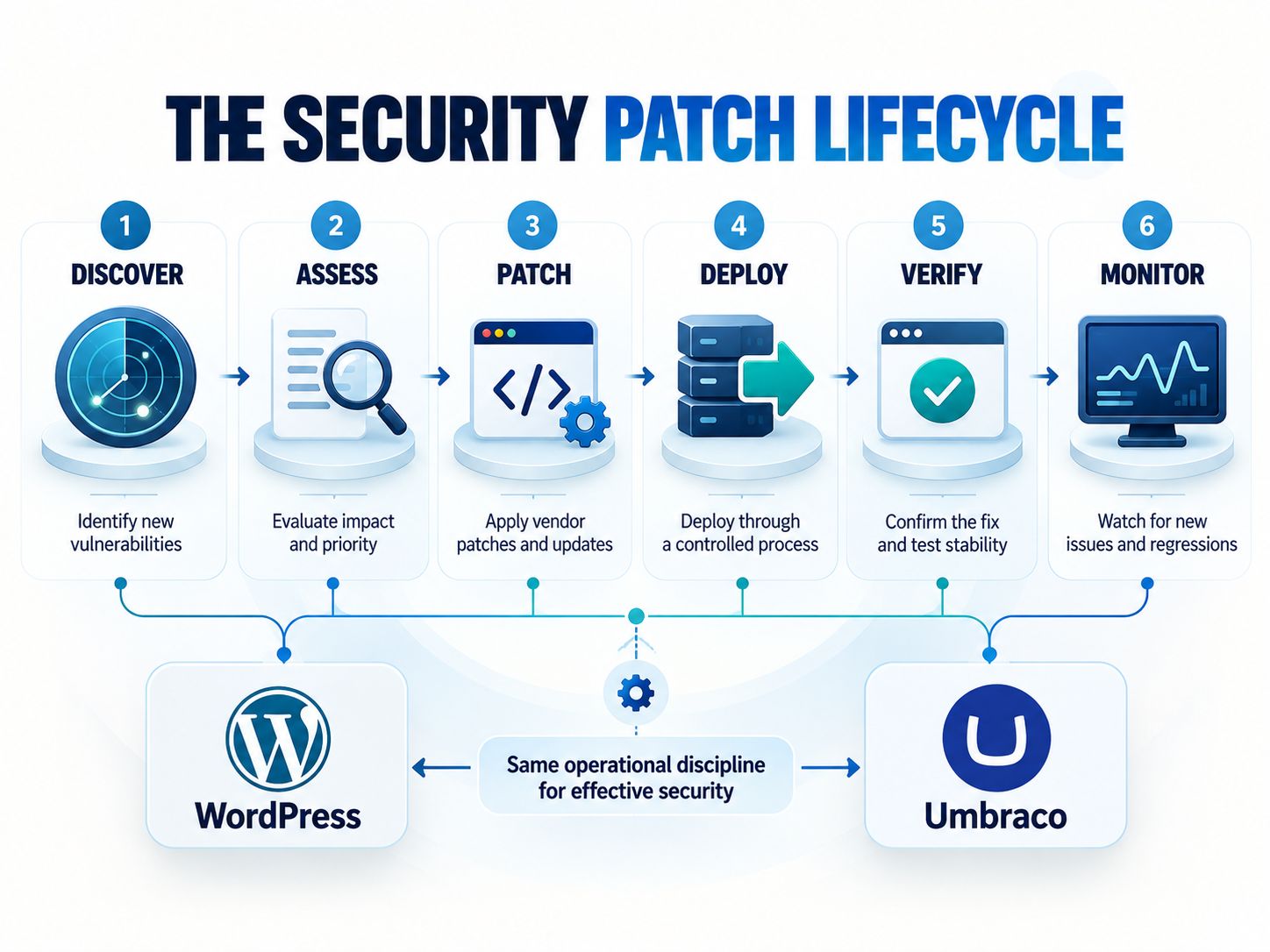
The more important questions are whether vulnerabilities are discovered, disclosed, patched and deployed quickly—and whether your organization is actually running a supported version.
Use a Continuous Monitoring Checklist to make patching and privileged-access review recurring operational tasks rather than emergency activities.
📢 Share This Insight
“The number of disclosed vulnerabilities does not tell you which CMS is safer. Patch speed, supported versions and operational response matter more.”
Current Support Status Matters More Than Many Comparisons Admit
Running an unsupported CMS can erase most of the security advantages attributed to the platform.
As of October 6, 2026, Umbraco 17 is its current Long-Term Support release. Umbraco 18 is a Standard-Term Support release. Umbraco also publishes explicit support and end-of-life timelines.
This matters because the August 2026 advisory affected some Umbraco versions that had already reached end of life. Those releases did not receive a normal patch, and customers were advised to move to a supported major version.
WordPress uses a different model. WordPress states that only the latest release is officially supported, although the Security Team has historically backported critical fixes to older eligible branches as a courtesy.
Neither approach is automatically better.
What matters is whether your organization has a realistic upgrade path before its platform reaches the point where security fixes become limited or unavailable.
A Security Controls Assessment can help determine whether lifecycle management, vulnerability remediation and control verification have actual ownership.
Is .NET More Secure Than PHP?
No useful security conclusion can be reached from the programming language alone.
Umbraco uses modern .NET and C#. WordPress primarily uses PHP.
Both technology stacks can be used securely, and both can produce vulnerable applications.
Security failures often come from areas such as authorization logic, insecure APIs, vulnerable dependencies, file uploads, exposed secrets, poor server configuration, weak identities and unsafe custom code.
There is also an outdated claim in some Umbraco-vs-WordPress comparisons that Umbraco requires Windows hosting.
Modern Umbraco does not.
Official Umbraco documentation states that native Linux and macOS support has been available since Umbraco 9 through the modern cross-platform .NET architecture.
“Umbraco uses .NET, therefore it is safer” is not a sufficient security argument.
Which CMS Has the Smaller Attack Surface?
Umbraco often starts with a more controlled attack surface, while WordPress’s flexibility makes it easier to expand the attack surface unintentionally.
A website’s attack surface includes much more than CMS core.
| Attack-surface component | What creates risk |
|---|---|
| CMS core | Unpatched vulnerabilities |
| Plugins/packages | Vulnerable or abandoned dependencies |
| Theme/template code | Unsafe rendering, uploads or custom functionality |
| APIs | Weak authentication or authorization |
| Administrator accounts | Credential theft and excessive privilege |
| Server/runtime | Outdated software or unsafe configuration |
| Database | Exposure, weak credentials or unsafe queries |
| Cloud services | Misconfigured IAM, storage or secrets |
| JavaScript dependencies | Vulnerable client-side packages |
| Staging environments | Forgotten or poorly protected copies |
| Backups | Publicly accessible archives or weak storage controls |
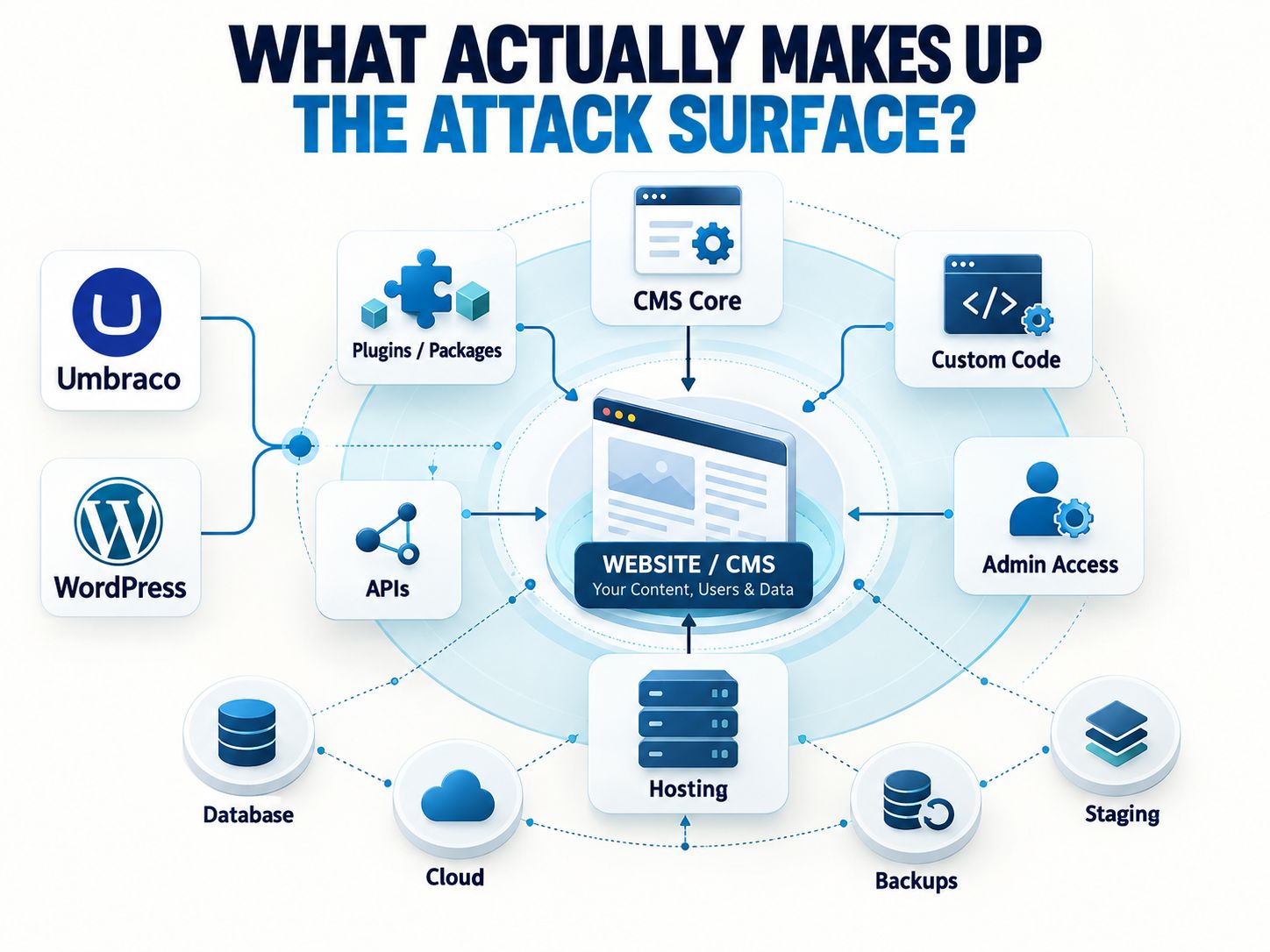
That means a minimal WordPress deployment can have a smaller real-world attack surface than a heavily customized Umbraco application.
For browser-facing defenses, the Security Headers Checker can inspect CSP, HSTS and other response headers, while the Network Security Assessment can review selected externally observable configuration signals.
Does WordPress’s Popularity Make It Less Secure?
Popularity increases exposure to automated targeting, but popularity itself is not a vulnerability.
Attackers have strong economic incentives to automate reconnaissance against widely deployed technologies because the same script may find large numbers of potential targets.
WordPress therefore receives considerable automated attention.
That does not prove that WordPress core is poorly engineered.
It also does not mean an obscure CMS is secure simply because fewer bots recognize it.
Security through obscurity can reduce noise, but it should never replace patching, authentication, access control and monitoring.
This is also why comparing public CVE totals between Umbraco and WordPress is not enough. The platforms have different install bases, ecosystems, extension models, disclosure practices and deployment patterns.
Authentication and Administrator Access: Which Platform Wins?
Both can be secured well; administrative discipline is more important than the CMS choice.
Umbraco supports two-factor authentication architecture for backoffice users and members, and Umbraco Cloud supports MFA through Umbraco ID.
WordPress can support MFA, SSO, restricted administration, fine-grained capabilities and external identity systems through appropriate enterprise architecture and extensions.
Whichever CMS you choose, the baseline should include unique administrator identities, MFA, least privilege, rapid offboarding, secure sessions and review of dormant accounts.
If password quality is part of your audit, SafeNetworkHub’s browser-side Password Strength Checker can help identify weak password patterns without sending the password to the server.
The broader Security Best-Practices Checker can be used to review security habits beyond credentials alone.
Hosting Can Reverse the Result
A well-managed WordPress environment can be safer than a poorly managed Umbraco server, and the reverse is equally true.
CMS comparisons often spend too much time on application code and too little on infrastructure.
Consider two hypothetical deployments:
| Deployment | Likely risk |
|---|---|
| Updated WordPress, managed hosting, MFA, limited plugins, WAF, tested backups, monitoring | Relatively controlled |
| Supported Umbraco but exposed admin accounts, weak credentials, poor logging and unpatched server | High |
| Unsupported WordPress with abandoned plugins and no update ownership | High |
| Supported Umbraco Cloud deployment with restricted backoffice access and controlled packages | Relatively controlled |
The CMS cannot compensate for an insecure operating environment.
If your deployment uses Azure, AWS, Google Cloud or hybrid infrastructure, combine the CMS review with a Cloud Security Controls Assessment.
First-Hand WordPress Perspective: Where Risk Usually Appears
From my WordPress development work, the largest security-management problem is rarely the existence of WordPress itself. It is uncontrolled accumulation around WordPress.
A site can start clean.
Then a form plugin is installed.
A page builder adds extensions.
Marketing adds analytics and conversion plugins.
Another team adds a popup tool.
An old integration stays active even after the service behind it is no longer used.
Three years later, the website may contain code from many independent vendors, and nobody has a complete explanation for why every plugin still exists.
That is where WordPress’s flexibility becomes a governance problem.
My preferred approach is therefore to keep the dependency set intentionally small, remove unused code rather than merely disabling it, test meaningful updates before production, restrict administrator privileges and make one person or team clearly responsible for maintenance.
That perspective does not prove that WordPress is safer than Umbraco, and I have not invented a controlled penetration test between equivalent installations.
It does explain why two websites running the same CMS can have completely different security postures.
For smaller organizations without a dedicated security team, the Small Business Cybersecurity Checklist can turn those responsibilities into a manageable action plan.
When WordPress Can Be Just as Reasonable a Security Choice
WordPress remains a defensible choice when the organization can control its dependencies and operate the platform professionally.
The case for keeping or choosing WordPress becomes stronger when your site uses a limited number of actively maintained extensions, your team already understands WordPress, updates are owned and tested, administrators use MFA, the host provides strong isolation and security controls, backups are regularly tested, and monitoring exists.
WordPress’s plugin security process has also changed materially in 2026: WordPress.org now analyzes every repository-hosted plugin release before distributing it through its normal update infrastructure.
None of this guarantees safety.
It does mean that articles written years ago can give readers an outdated picture of how the WordPress ecosystem is currently governed.
When Umbraco Is the Better Security Decision
Umbraco becomes especially compelling when strict application governance already matches the organization’s operating model.
The case becomes stronger when the organization has an experienced .NET team, wants developers to control production changes, prefers a smaller package footprint, requires a predictable LTS lifecycle, uses Microsoft-oriented infrastructure, needs highly structured custom applications or prefers the managed security operations available through Umbraco Cloud.
In those environments, Umbraco can reduce some of the operational uncertainty that comes with a highly extensible WordPress installation.
Should You Migrate From WordPress to Umbraco for Security?
Do not migrate solely because someone says WordPress is “less secure.” First identify what is actually creating the risk.
Use this decision test:
| Current problem | Will moving to Umbraco probably fix it? |
|---|---|
| Too many abandoned WordPress plugins | Potentially, if the new architecture removes those dependencies |
| Organization wants .NET standardization | Yes, this can be a strong architectural reason |
| Administrators install plugins without review | Potentially, if Umbraco deployment governance prevents equivalent behavior |
| No one installs security updates | No—the maintenance failure will follow you |
| Weak administrator passwords | No |
| No MFA | No |
| Poor hosting | No |
| No backup testing | No |
| Vulnerable custom code | Not automatically |
| No monitoring or incident response | No |
| Current WordPress site is professionally maintained and tightly controlled | Security alone may not justify migration |
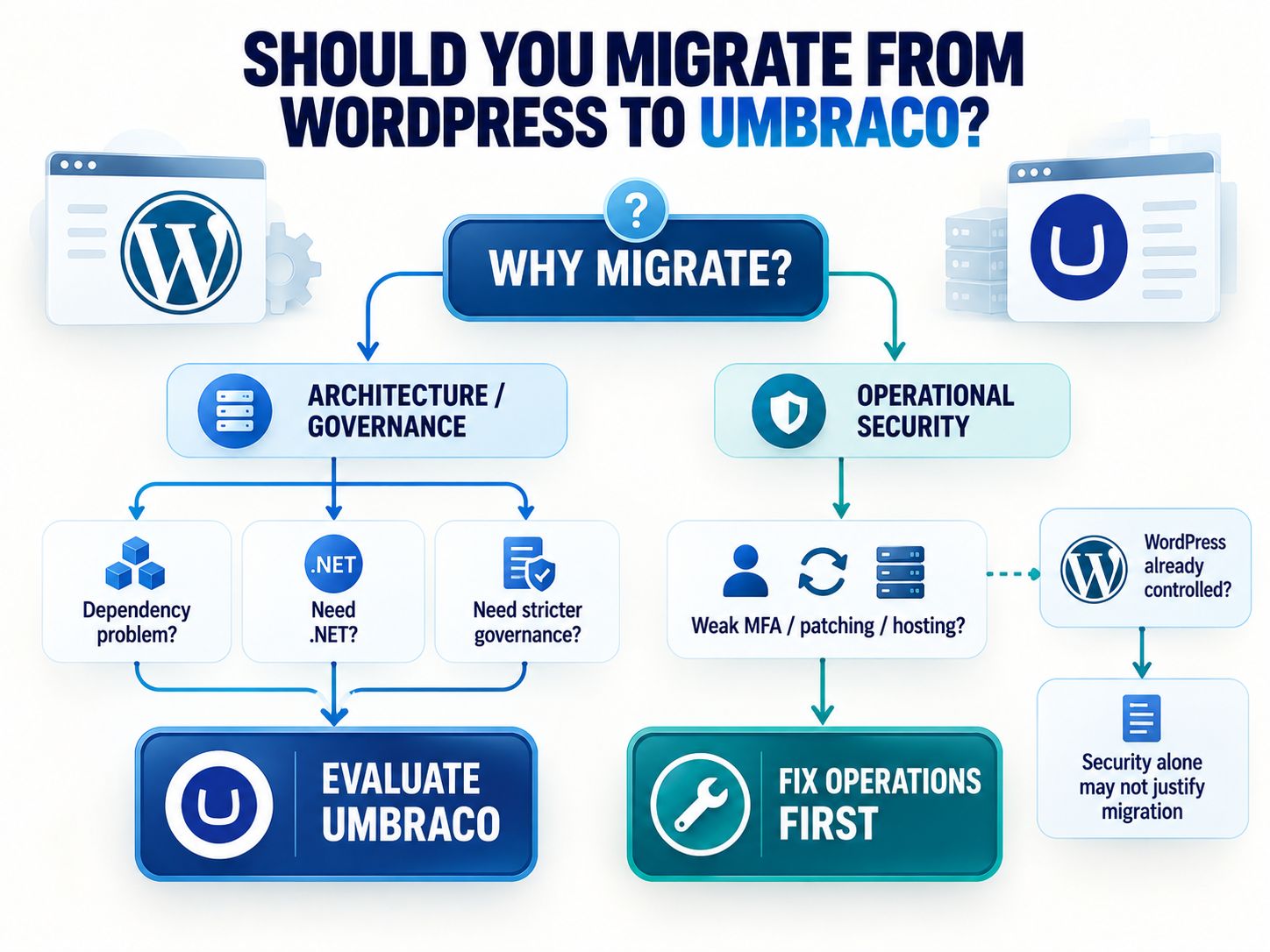
This is the most important decision point in the article.
Migrating technology does not automatically migrate operational maturity.
If you still need security products around either architecture, the Security Tool Finder can help compare tool categories without treating a CMS migration as a substitute for monitoring, IAM or vulnerability management.
📢 Share This Insight
“If the problem is weak patching, passwords or hosting, changing CMS will not solve it. Fix the security process first.”
Our Verdict: Is Umbraco More Secure Than WordPress?
Umbraco gets a slight practical advantage for tightly governed enterprise deployments, but WordPress can be equally defensible when professionally operated.
The answer changes depending on the environment.
| Situation | Better security fit |
|---|---|
| .NET enterprise with controlled deployments | Umbraco |
| Organization wants strict LTS planning | Umbraco |
| WordPress site with many poorly governed plugins | Umbraco likely reduces dependency risk |
| WordPress site with a minimal trusted stack and mature operations | No decisive security reason to migrate |
| Team has strong WordPress expertise but little .NET experience | WordPress may create less operational risk |
| Neither team patches or monitors systems properly | Neither is secure |
| Umbraco site is already end-of-life | Upgrade matters more than the CMS comparison |
My conclusion is therefore more specific than “Umbraco is more secure.”
Umbraco is often easier to keep within a tightly controlled security model. WordPress gives teams far more freedom, and that freedom requires stronger dependency governance.
Choose the system your organization can patch, monitor, harden and maintain consistently for years.
Frequently Asked Questions
Is Umbraco better than WordPress?
Umbraco is better for some developer-led, .NET-oriented and highly customized projects. WordPress is often better when publishing flexibility, ecosystem size, development availability and common integrations matter more. Security alone does not determine the overall winner.
Is WordPress safe from hackers?
WordPress can be securely deployed, but no internet-facing CMS is hacker-proof. A secure deployment requires supported software, carefully selected plugins, MFA, least privilege, secure hosting, backups, monitoring and timely vulnerability remediation.
Is NASA using WordPress?
Yes. NASA reported that its Web Modernization Team evaluated more than 60 CMS options before selecting WordPress as the agency’s new flagship CMS in January 2022. Security, accessibility, SEO and collaboration were among its requirements.
Source: NASA IT Talk, April–June 2023.
NASA’s choice demonstrates that WordPress can satisfy serious organizational requirements. It does not mean an ordinary WordPress installation automatically inherits NASA-level security.
Which CMS is better than WordPress?
No CMS is universally better. Umbraco may be a stronger fit for .NET-centric enterprise development, Drupal may suit some complex governance environments, and headless platforms may work better for multi-channel architectures. The best CMS is the one that meets business requirements while remaining maintainable by the team responsible for it.
Does Umbraco use plugins?
Umbraco uses extensions commonly called packages. Community and commercial packages are available through the Umbraco ecosystem, so third-party dependency risk still exists.
Is Umbraco only for Windows hosting?
No. Modern Umbraco is built on cross-platform .NET. Native Linux and macOS support has been available since Umbraco 9.
Is Umbraco Cloud automatically patched?
For applicable CMS and Forms security fixes, Umbraco Cloud can deploy automatic security updates. Some add-ons or unsupported versions may require separate action, so administrators still need to follow individual security advisories.
Does WordPress automatically install security updates?
WordPress supports automatic background updates, and its security infrastructure can distribute important fixes automatically to eligible installations. Site owners should still verify that updates complete successfully and ensure plugins, themes and custom code remain maintained.
Is Umbraco more secure because fewer hackers target it?
Lower mass-attack attention can reduce automated noise, but it does not prove that the underlying software is more secure. A vulnerability can still be serious even if fewer automated scanners are looking for it.
Should I migrate from WordPress to Umbraco because of security?
Only when the migration removes a structural security problem—such as uncontrolled dependencies—or aligns with a better-governed development architecture. If the actual problems are weak passwords, poor patching, missing MFA, bad hosting or absent monitoring, fix those problems first.
Final Thoughts
So, is Umbraco more secure than WordPress?
For organizations that value tightly controlled development, predictable platform lifecycle management and a smaller dependency footprint, Umbraco often has the advantage.
For organizations with mature WordPress engineering, restricted plugins, secure infrastructure and disciplined maintenance, WordPress can remain a highly defensible choice.
The decision should therefore come after a security architecture review—not before one.
Before migrating, document your current dependencies, administrator access, update ownership, hosting controls, backup recovery process and monitoring. Then compare how each CMS would change those risks.
Are you currently deciding between Umbraco and WordPress, or considering migrating an existing website? Share the security concern driving your decision in the comments.
Share This Network Security Guide
Help IT professionals, network engineers, and students strengthen their cyber defense.
Zubayer Hasan
LinkedIn Profile →Md Zubayer AL Hasan is the lead cybersecurity platform architect and security researcher at SafeNetworkHub. Dedicated to zero-knowledge cryptography, infrastructure vulnerability auditing, and building accessible privacy tools.
0 Comments
No comments yet
Have a question or insight about this network security guide? Be the first to share your thoughts!
Write the first comment →